01
Capture every billable minute
Quick calls, small fixes, spontaneous reviews: exactly the hours that disappear. In FlowQi you log them in seconds, from any project or task.

Hours slip between a timer, a spreadsheet and an invoice tool. FlowQi captures every minute, connected directly to your projects, clients, and invoices. So every hour you work shows up where it should: on an invoice.
Most service businesses are working at full capacity and still leaving money on the table. The hours are being worked. They're just not being captured, or connected to anything that matters.

Your team logs the big tasks. But the 15-minute calls, the quick reviews, the small fixes, nobody logs those. They add up to thousands in lost revenue every month.

Time in Toggl. Projects in Monday. Invoices in Exact. Every month is a copy-paste exercise. Something always gets lost between the three.

You quote 40 hours, deliver 65. You eat the difference quietly. Then wonder at the end of the quarter why the margin wasn't there.

A client asks if you can start next week. You ask around, everyone says they're busy, you guess yes, and two weeks later someone is working 70-hour weeks.

Chasing timesheets. Chasing approvals. Rebuilding everything in a spreadsheet to get it into an invoice. Every. Single. Month.

You're billing six figures a month. Your costs are somewhere around that. You find out how profitable you actually are when it's too late to do anything about it.
Every part of the process, connected in one place.
Quick calls, small fixes, spontaneous reviews: exactly the hours that disappear. In FlowQi you log them in seconds, from any project or task.
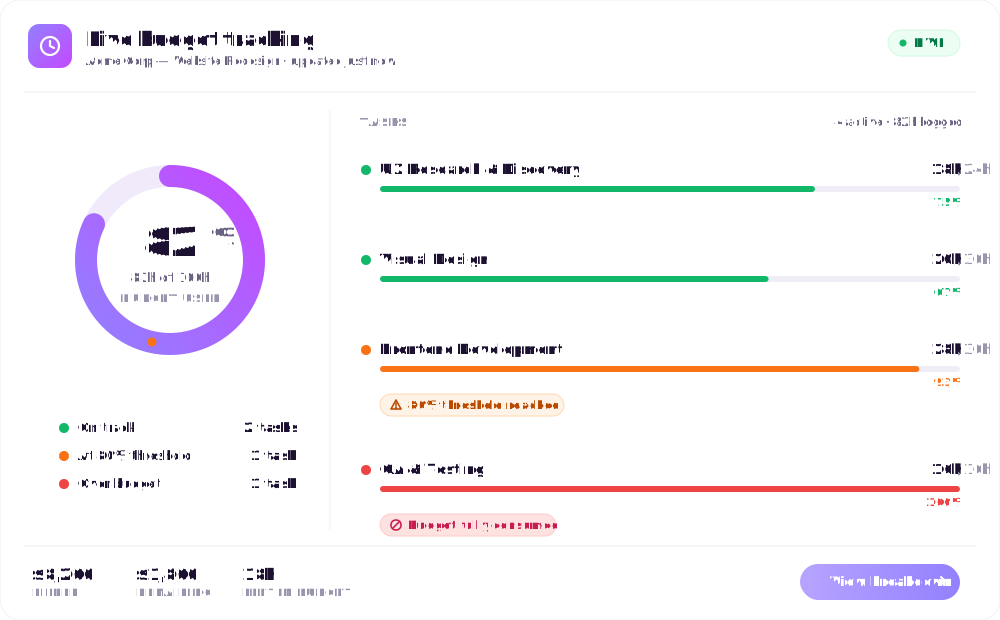
Set a budget per project, as a retainer, a fixed fee or time and materials. FlowQi compares actuals against the plan as hours are logged and alerts at 80 percent, while you can still adjust.
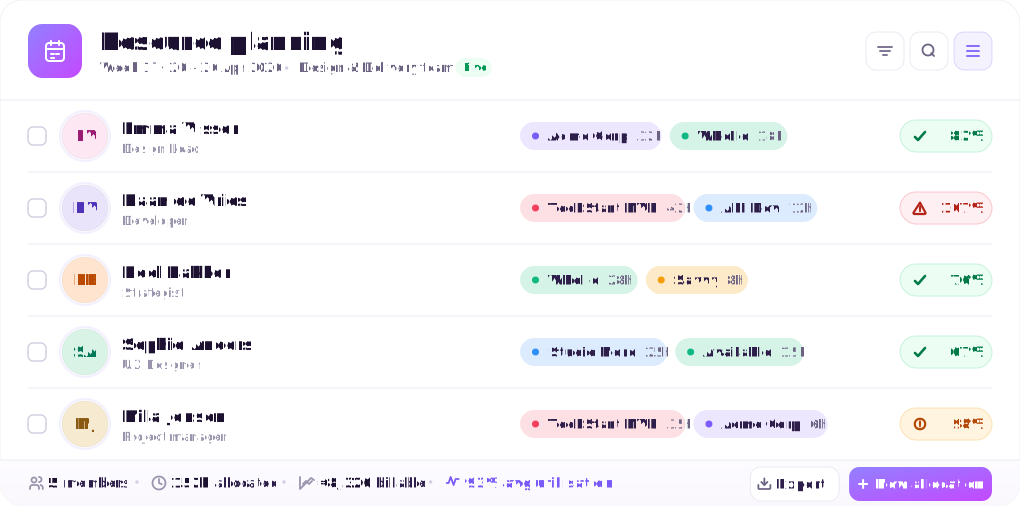
A client asks if you can start next week. You see real capacity per person, with over-allocation flagged automatically, and commit only to what you can keep.
Tracked hours already hang off the project budget, so the invoice builds itself from what was actually worked. No rebuilding the month in a spreadsheet.
Time & Resources is a module for teams that need to track billable hours, plan capacity, and connect time directly to invoicing. You add it to Basic or Core, only for the people who log hours or get scheduled; Core is not required.

Start tracking with one click from any project, task, or contact page. No tool-switching. No context loss. Your timer follows you wherever you work in FlowQi.

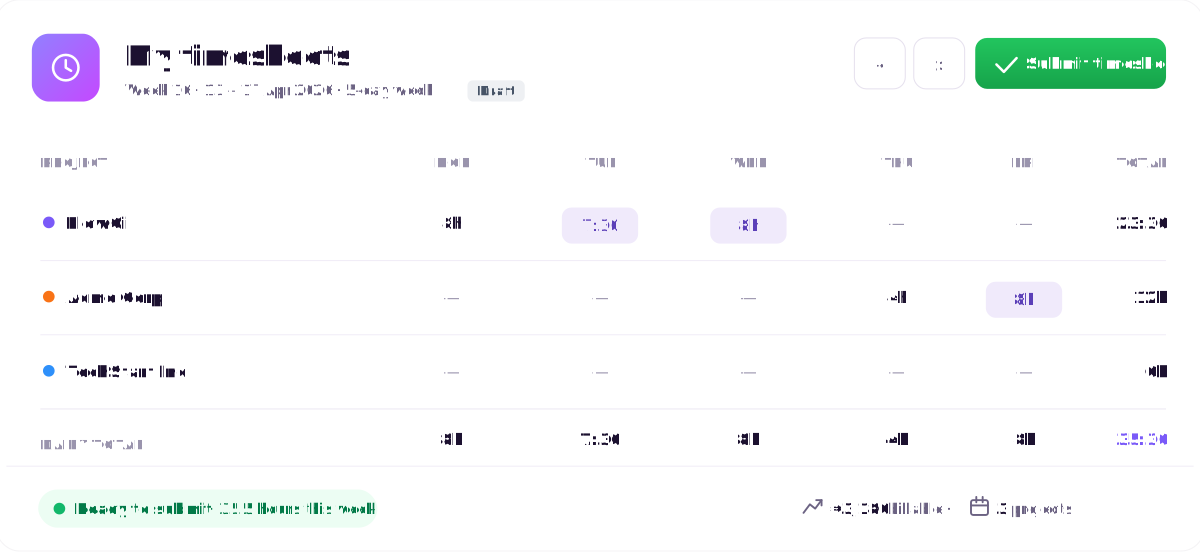
Log time retrospectively at end of day or fill the week in one go. Quick keyboard shortcuts, smart autofill for recent projects and tasks.

See the full week per team member. Approve or edit before hours are locked. Automatic reminders go out so you're never chasing on Friday afternoon.

Set hour budgets per project or task and see live progress against them. A warning at 80% gives you time to act before you overrun, not after.

See who has bandwidth before committing to a new client. Live capacity view across your whole team, per person, per week, across all active projects.

With the Billing module, approved hours turn into an invoice in one click. No exporting, no copy-pasting, no reformatting. Time tracked in FlowQi becomes a sent invoice in minutes.
Time & Resources is switched on per person. The rest of your team never sees it on the bill.
Time tracking and invoicing software records the hours your team works per client and project, and turns those hours into invoice lines without retyping them. A plain time tracker stops at the timesheet; you then rebuild the invoice by hand in another tool. Combined software keeps the hour, the project budget and the invoice line connected, so what you logged is what you bill. In FlowQi that connection also runs the other way: the invoice shows which project and which hours it came from.
It depends on who sends the invoices. Harvest is the strongest pure billing tool, with invoicing on every paid plan. TimeCamp is the cheapest that tracks, invoices and plans in one. FlowQi is the better fit when only part of the team logs hours, because the rest works free and the hours sit on the client and project you already manage. We priced all eight on the same job in our comparison of eight time tracking tools.
In practice, the same thing, two names for the category. ‘Tool’ often suggests a lightweight timer app (Toggl, Clockify), ‘software’ suggests a broader platform with timesheets, budgets and billing. FlowQi fits the second description: a connected platform that covers time tracking, resource management and invoicing in one workspace.
Time tracking is part of the Time & Resources module. CRM and projects are free for your whole team. Time & Resources ($25 per user per month) is added only for the people who use it, even on Basic, and Billing ($25 per user per month) is added only for the people who invoice, also on Basic. Core ($25 per user per month) is optional. The module is assigned to the people who log hours or get scheduled; everyone else in your team sees reports and capacity views read-only.
Toggl and Clockify are excellent standalone time trackers, but that’s all they are. FlowQi connects your tracked time directly to the project it belongs to, the client it’s billed to, and the invoice that captures it. You stop copying data between three tools and start running your business from one place.
No. The Time & Resources module is added only for the people who log hours or get scheduled. Everyone else in your Core workspace, managers reviewing reports, team leads checking capacity, leadership tracking utilisation, gets read-only access from their Core seat. You add the module for the 4 people who track, not for all 10.
FlowQi sends an automatic alert when a project reaches 80% of its time budget, giving you time to act before you’ve overrun. You can review scope, have the conversation with your client, or reallocate hours. You always find out early, not when the invoice is already out.
Only if you choose to share them. You can invite clients to a read-only project view that shows overall progress without exposing your internal time logs. If you want to show a detailed time breakdown on an invoice, you choose which entries to include.
Your team keeps the same logging habits, timer or manual entry, just inside a platform that connects to the rest of your work. Ask us about bringing over your historical hours during onboarding.
Yes. The full resource planner, live capacity view, project allocations, overload alerts, and utilisation reports, is included in the Time & Resources module. And any user in your Core workspace can view the capacity planner in read-only mode, even without the module.
Stop leaving revenue on the table. FlowQi captures every billable minute and connects it directly to the client, project, and invoice where it belongs.
Book a demo
30 minutes, no slide decks. Real product, real workflows. We'll reach out within one business day.
Get started free
Leave your details, we'll send you a free trial.


