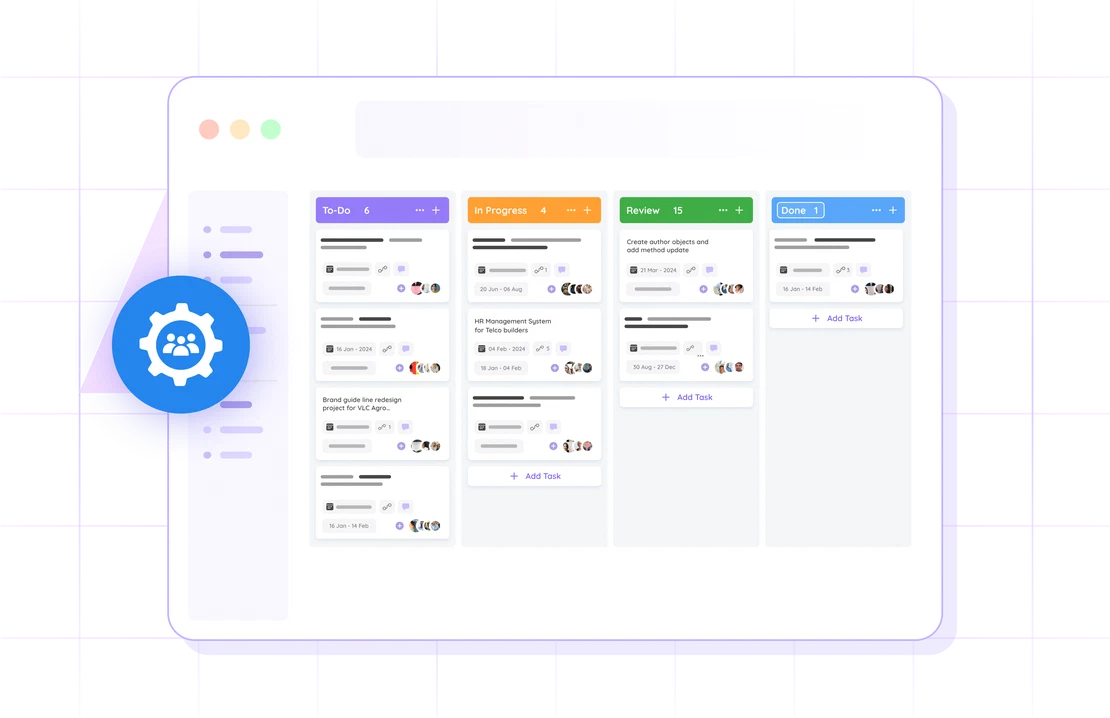
Task Management

Tasks are the engine.
Keep yours running.

Every project, deal, and client request produces work. FlowQi keeps that work visible, owned, and moving — with a little help from Hummy, your AI teammate.

★★★★★ Core module — works across delivery, sales, and support teams
  • AI-assisted
  • Clear ownership
  • Connected to projects
Execution pain

Most teams are not slow — they are uncoordinated

The work exists. The intent is there. But without a clear system, things fall between the cracks every single day.

🗂️

Tasks live in too many places

Chat threads, sticky notes, spreadsheets, email. Nobody has the full picture — and things slip through.

👤

Ownership is always up for debate

"I thought you were handling that." The most expensive sentence in any team. FlowQi ends it.

📋

Meetings don't produce action

Great discussion, fuzzy outcomes. Action points disappear into calendars and never get followed up.

📊

Progress is a mystery until it's a problem

Managers only find out something is blocked when the deadline is already missed.

See FlowQi Task Management in action — takes 20 minutes.

Book a demo
How it works

One loop that keeps the whole team moving

Capture, assign, track, complete — the same rhythm whether you're running a project, closing a deal, or handling a support request.

01

Capture work from where it happens

Create tasks directly from a meeting, a CRM deal, a project milestone, or a support ticket. Context travels with the task — no re-explaining needed.

02

Assign, prioritise, and set a deadline

One owner. One due date. One priority level. Hummy can suggest who should own what based on current workload and capacity.

03

Track progress without chasing it

Status updates happen inside the task. Everyone sees what's moving, what's blocked, and what needs attention — no meeting required.

04

Complete and connect to the next step

Closing a task can trigger a follow-up: update the project, log the hours, or hand off to invoicing. The loop closes itself.

What is included

Built for teams that run on execution

Everything your team needs to stay aligned — without adding process overhead.

Hummy AI assistance

Your AI teammate suggests task owners, flags overdue work, and helps write clearer task descriptions in seconds.

🔗

Auto-generated tasks

FlowQi creates tasks from deals, projects, tickets, and meetings automatically. Less admin, more doing.

👁️

Cross-team visibility

One view across delivery, sales, and support. No more 'which system is the source of truth' discussions.

📅

Task2Meet

Turn meeting action points into owned tasks before the call ends. Action points actually happen.

Milestone linkage

Milestone linkage

Tasks connect to project milestones. Slip a task, see the impact on delivery — instantly.

Time tracking per task

Time tracking per task

Log hours directly on the task. Data flows to project budgets and invoicing — no double entry.

01 — AI assistance

Meet Hummy — your AI task teammate

Hummy watches your workflow and steps in at exactly the right moment. It suggests who to assign based on current capacity, rewrites vague task titles into clear action items, and nudges the right person when something has been sitting too long. Less managing. More doing.

  • Smart owner suggestions based on team workload
  • Clear task descriptions drafted in seconds
  • Automatic nudges when tasks go quiet
  • Priority recommendations based on project deadlines
Book a demo
Task Management Software for Teams | FlowQi
02 — Meeting to action

The meeting ends. The action starts.

Task2Meet converts meeting outcomes into owned, tracked tasks before the call is over. Action points get assigned, prioritised, and connected to the right project on the spot — so nothing gets lost in a follow-up email that nobody reads.

  • Capture action points during the call
  • Assign owners while the decision is still fresh
  • Link to the right project or deal automatically
  • Zero repetitive status meetings
See Task2Meet in action
Task Management Software for Teams | FlowQi
03 — Cross-team view

One view. Every team. No surprises.

Delivery, sales, support — they all run on tasks, but usually in completely different systems. FlowQi brings them into one place so managers can see the full picture and teams can hand off work without friction.

  • Shared task view across all departments
  • Clean handoff points between teams
  • Filter by team, project, priority, or due date
  • Spot bottlenecks before they become escalations
Explore project management
Task Management Software for Teams | FlowQi
04 — Project connection

Task progress is project progress

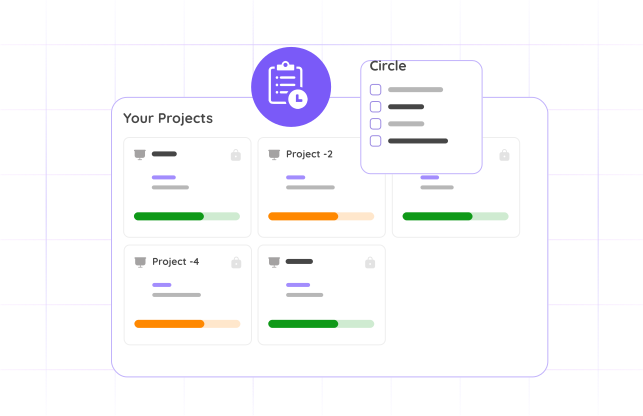
Every task in FlowQi can be tied to a project milestone. When tasks move, the project status moves with them. No more manually updating delivery trackers — the source of truth is always current.

  • Map tasks directly to milestones
  • See deadline risk before it becomes a problem
  • Completed task hours flow to project budgets
  • Handoff to invoicing happens automatically
Open project management
Task Management Software for Teams | FlowQi
Connected by design

Tasks are the thread that runs through everything

Create a project, close a deal, answer a support ticket, run a meeting — FlowQi turns every one of those moments into trackable, owned work.

Tasks

Create and assign work from any module.

📁

Projects

Tasks connect to milestones in real time.

🤝

CRM

Deals generate tasks automatically.

⏱️

Time

Log hours per task for accurate billing.

🧾

Invoicing

Completed work flows straight to the invoice.

Questions

Common questions about FlowQi task management software

What is task management software?

Task management software is a tool that helps teams capture, assign, prioritise and complete work. It tracks who owns what, when it's due and how it connects to the bigger picture. FlowQi takes this further by linking every task to its project, client and billing context — so execution never happens in a silo.

What's the difference between task management software and a task management tool?

In practice, the same thing. 'Tool' often implies a lighter to-do style app (think Todoist, TickTick), 'software' suggests something built for teams with shared context and ownership. FlowQi fits the second description: team-oriented task management connected to projects, CRM and invoicing.

How much does task management software like FlowQi cost?

Task management is included for every FlowQi user. No tiers — you pay per user, and only extra for optional modules someone actually activates.

Can FlowQi create tasks automatically?

Yes. FlowQi generates tasks from connected modules — when a project milestone is set, a CRM deal moves stage, a support ticket arrives, or a meeting is logged. Hummy can also suggest tasks based on current project context.

What is Hummy and how does it help?

Hummy is FlowQi's AI teammate. It suggests who to assign tasks to based on workload, helps write clearer task descriptions, and nudges people when tasks have been idle too long. It works in the background — you notice it most when things stop slipping.

What is Task2Meet?

Task2Meet converts meeting action points into owned, tracked tasks before the call is over. Every action point gets an owner, a due date, and a link to the right project — assigned while the decision is still fresh.

Can I see tasks across multiple teams?

Yes. FlowQi gives you a shared view across delivery, sales, and support — all in one place. Filter by team, project, owner, or due date and see exactly where things stand.

How do tasks connect to invoicing?

Hours logged on tasks flow into project budgets. When a project closes, that data is ready for invoicing — no spreadsheet reconstruction, no missing time.

Does this work for both agency teams and in-house teams?

Yes. The task system is equally at home in client-facing delivery teams and internal operations. Ownership rules, module connections, and visibility settings all adapt to how your team is structured.

Ready to run a team that actually executes?

See FlowQi Task Management live — with Hummy, Task2Meet, and the full connected platform.