01
See every task. Move work forward without a meeting.
One shared board with every task in the project: who owns it, where it stands and what is blocking it. Drag a card to change status and the milestone moves with it.
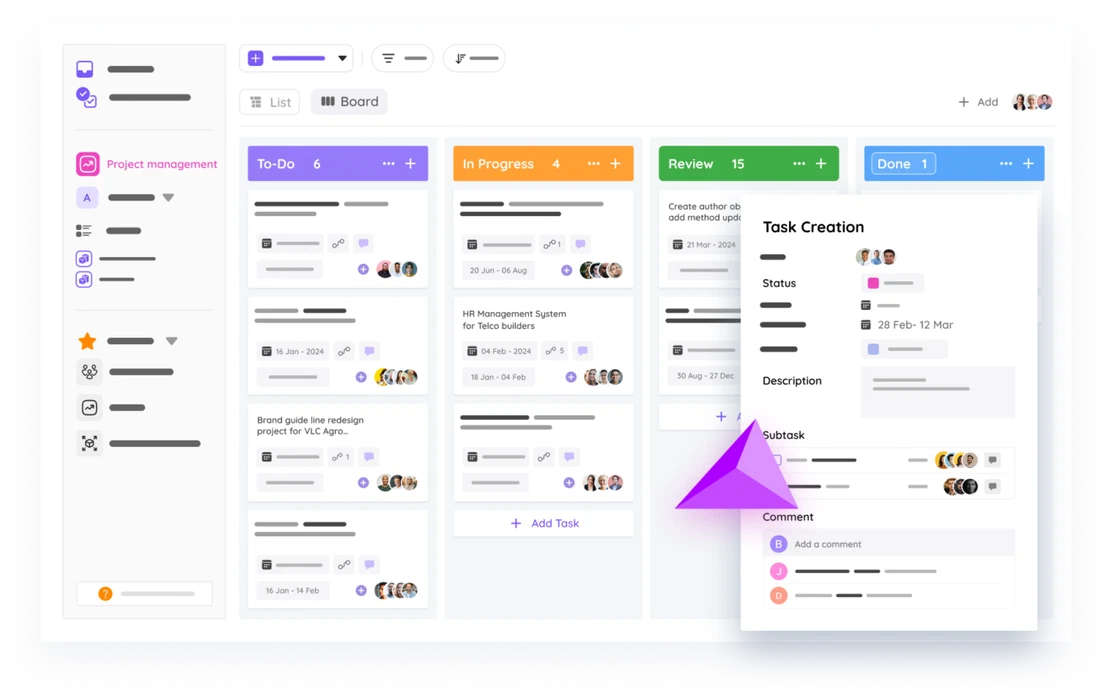

From kickoff to invoice, FlowQi gives your team one place to plan milestones, run tasks, track time, and close billing. No more juggling three tools to answer 'where are we?'
The plan looks fine. The team is working. But without real-time visibility, small slips turn into deadline misses before anyone notices.
The Gantt chart says on track. The actual tasks are scattered across chat, docs, and half-finished spreadsheets.
No one flags the milestone that's two days behind until it's already affecting the next one downstream.
Design finishes. Dev is waiting. Nobody formally passed it over, and three days disappear.
Projects close on one system, invoices get built on another. Month-end becomes a reconstruction project.
The work
Three steps, on the same platform.
One shared board with every task in the project: who owns it, where it stands and what is blocking it. Drag a card to change status and the milestone moves with it.
Every project gets a timeline with milestones, deadlines and dependencies, so what is at risk shows before it spreads. The schedule updates itself as tasks close.
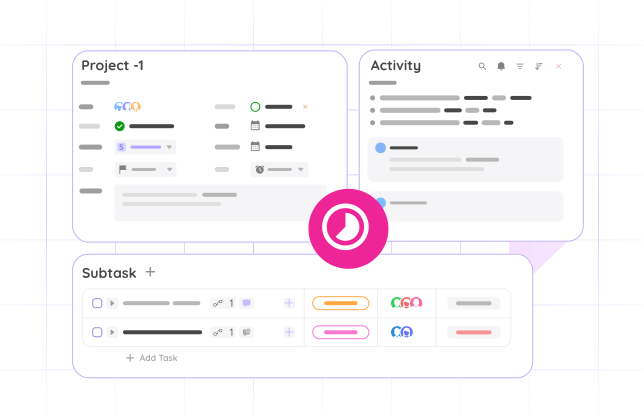
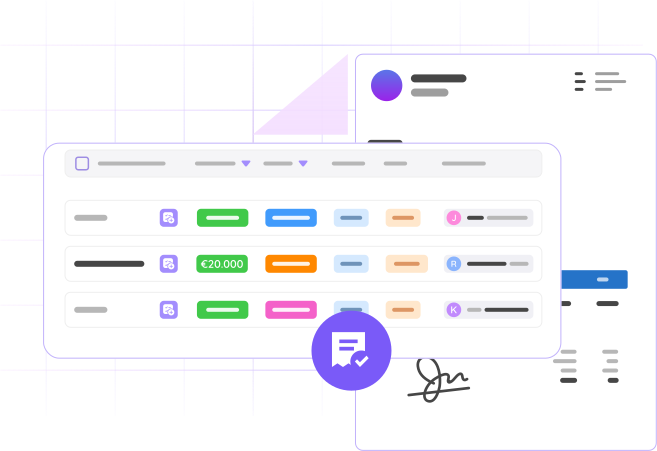
Every hour tracked against a task flows to invoicing, and approved milestones carry their billable work with them. When the project wraps the invoice is already built.
No complexity theater, just the tools that keep projects moving and clients informed.
Break projects into clear delivery checkpoints. See what's on track, what's at risk, and what needs attention, at a glance.
Tasks connect directly to milestones. Complete a task, see the project status update in real time, no manual syncing.
Log hours on tasks and projects, timer or manual. Every minute is attached to the right scope automatically.
Every team member sees the same project status. No more 'let me check with the PM' before answering a client question.
Projects link back to client accounts. Delivery status, deal context, and client history all in one place.
Tracked time and approved milestones flow straight to invoicing. No spreadsheet reconstruction at month-end.
Basic is not a trial. It has no end date, and you pay only for what you add.
Project management software is a tool that helps teams plan, run and deliver projects, from kickoff to close. It covers milestones, tasks, deadlines, team capacity and often time tracking. FlowQi goes further by connecting project delivery to CRM, time tracking and invoicing, so the same data flows from proposal to invoice without re-entry.
In practice, the same thing, two common names for the category. ‘Tool’ often suggests a lighter task-level app, ‘software’ suggests a broader delivery platform. FlowQi fits the second description: a connected platform that covers projects, tasks, time and billing in one workspace.
Project management is included in Basic, free for your whole team. CRM and projects are free for your whole team. Time & Resources ($25 per user per month) is added only for the people who use it, even on Basic, and Billing ($25 per user per month) is added only for the people who invoice, also on Basic. Core ($25 per user per month) is optional.
Yes. FlowQi handles client delivery projects and internal operations in the same workspace. You can separate them by project type, client account, or team, and track budget and time differently for each.
Every time entry is attached to a task and a project. Hours are categorised as billable or internal, and budget burn is visible throughout, not just at month-end when you’re trying to invoice.
Yes. FlowQi’s resource view shows real capacity per team member so you can make commitments based on actual availability, not best-case assumptions.
When a project wraps, tracked hours and approved milestones are already in FlowQi. You hand them off to the invoicing module, no spreadsheet, no reconstruction.
Yes. Task completion drives milestone progress in real time. You don’t manually update project status, it reflects what’s actually happening in the board.
Yes. Projects link directly to CRM accounts so your delivery team always has client context, and your account team can see where active projects stand without asking the PM.
See how FlowQi connects your project delivery from first brief to final invoice.
Book a demo
30 minutes, no slide decks. Real product, real workflows. We'll reach out within one business day.
Get started free
Leave your details, we'll send you a free trial.