
What Is Workload Management? How to Balance Work Across Agency Teams

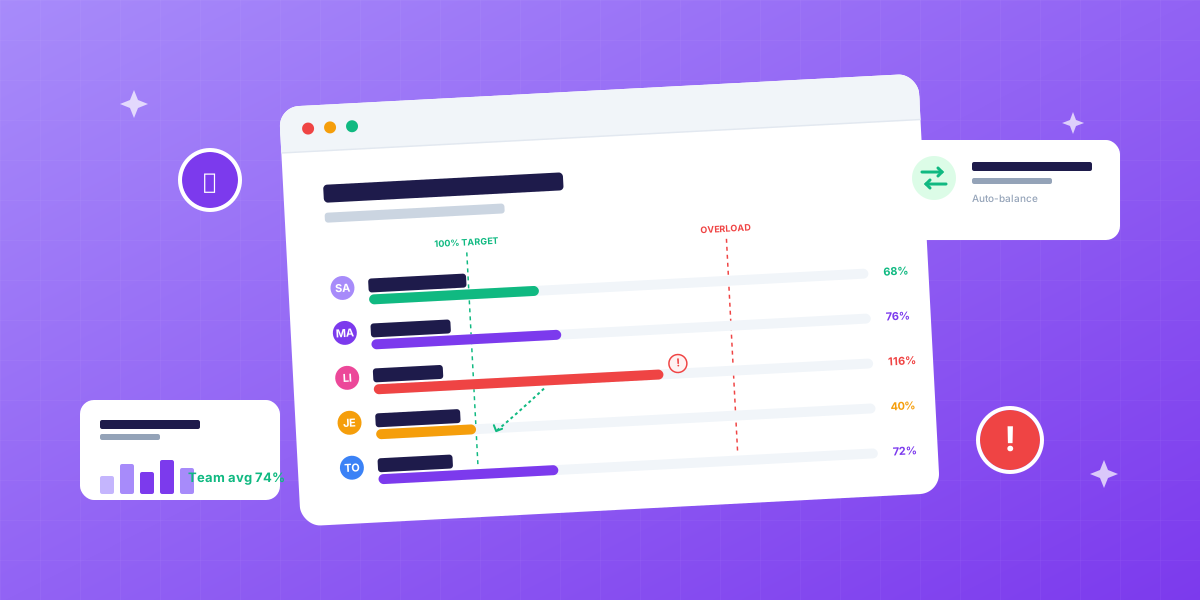
What is workload management?
Workload management is the discipline of distributing tasks across team members so total work matches actual capacity, at the level of the week, the day, sometimes the hour. Gallup workplace research consistently shows workload imbalance is one of the top three predictors of employee disengagement and attrition.
If a designer has 32 available hours this week and you’ve assigned her 28, her workload is healthy. If you’ve assigned 44, her workload is broken. If you’ve assigned 12, hers is broken in a different way, bench time you’re paying for without revenue.
Workload management is what turns abstract resource plans into livable schedules. It’s where the spreadsheet meets the human.
What is the difference between workload management and resource management?
They’re related but different. Most people use the terms interchangeably, and shouldn’t.
| Concept | Scope | Time horizon |
|---|---|---|
| Resource management | The whole system, planning, allocating, tracking, optimizing, forecasting | Weeks to quarters |
| Workload management | The day-to-day balance of work across people | This week, today |
| Capacity planning | Can we take this on? | Months ahead |
| Resource allocation | Assigning resources to specific work | Per project / sprint |
Workload management is the layer where resource management becomes real. You can have a perfect six-month resource plan and still ruin the week by overloading three people on Tuesday. Workload management catches that.
Why does workload management matter for agencies?
In a service business, your team is the product, and workload imbalance shows up as three concrete costs.
1. Burnout and attrition. When the same two top performers absorb every new project, one of them quits within 18 months. Replacement cost for a senior agency role is typically 50-200% of annual salary.
2. Hidden idle time. While seniors are at 110%, juniors might be at 45%. You’re paying for capacity that produces no revenue, and missing the chance to grow people.
3. Client experience inconsistency. Overloaded teams ship late. Late shipping breeds client churn. Churn breeds new business pressure. The cycle accelerates.
A well-balanced team at 70-75% utilization across the board outperforms an imbalanced team averaging the same 70-75% across spikes and gaps. The math is the same; the outcome isn’t.
What are the signs of a workload problem?
Three telltale patterns tell you workload management is broken before any metric does.
1. The same names always miss deadlines
Not random people. The same two or three. Investigate. They’re almost always the ones absorbing extra work that never gets formally allocated.
2. Overtime is normalized for some, never for others
If you ask “who worked over 45 hours last month” and the same names come up every month, you have a workload management problem, not a productivity problem.
3. Junior people complain about boredom
This sounds like a different problem. It’s the same one, work isn’t being distributed to them because it’s faster to give it to the senior. Short-term efficiency. Long-term capacity destruction.
If two or three of these are true on your team, workload management is your highest-impact fix.
How do you measure workload?
Workload should be measured against available hours, not against scheduled hours. Available = scheduled minus PTO, holidays, sick days.
Workload % = Allocated hours ÷ Available hours
A senior designer with 36 available hours and 30 allocated has a workload of 30 ÷ 36 = 83%. That’s healthy.
The same designer with 30 available hours (one day PTO) and 40 still allocated has 40 ÷ 30 = 133%. That’s broken. Either reallocate or push deadlines.
Healthy ranges by role:
| Role | Healthy workload |
|---|---|
| Senior delivery (consultant, dev, designer) | 65-80% |
| Junior delivery | 75-90% |
| Project manager | 55-75% |
| Account manager | 50-70% |
| Lead / department head | 30-55% |
Above 100% is overload. Below 50%, for billable roles, is bench. Both are signals.
What are the five workload distribution methods?
Five common methods, ordered from worst to best for agencies.
1. First available wins
Whoever’s free Monday gets the new task. Fast, but ignores skill and creates rotating overload patterns.
2. Always the strongest
The most skilled person gets every important task. Output is best per task, but the same people burn out and juniors don’t grow.
3. Equal distribution
Everyone gets roughly equal hours. Fair in theory; ignores skill, seniority and project requirements. Produces mediocre output across the board.
4. Skill-first
Match each task to the right skill, then check availability. The default for healthy agencies. Slower to allocate but better outcomes per project.
5. Skill + growth
Match for skill, then ask: who needs the stretch? Pair a junior with a senior on something they’re not yet ready to lead alone. Slowest method. Highest long-term return.
Most healthy agencies use #4 by default and #5 deliberately: choosing growth assignments when the project allows it.
What are the most common workload management mistakes?
Six mistakes account for almost every workload problem in agencies.
1. Allocating at the manager level instead of the task level
“Sarah is on the Retail project” tells you nothing. Is she at 5 hours/week on it or 25? Allocate hours-per-task, not people-per-project.
2. Treating “this week” as the only horizon
A team that looks balanced this week might be wildly off next week. Look at the next 4 weeks at minimum.
3. No buffer
Plan to 100% and the first surprise, a sick day, a scope change, an urgent client call, creates instant overload. Leave 15-25% buffer per person.
4. Silent reassignment
Moving 8 hours of work from Lisa to Marc without telling either of them creates the same problem twice. Reallocation is a conversation, not a calendar edit.
5. Mixing billable and non-billable in the same number
“Marc is at 90%”, but 30% of that is internal work. His billable load is 60%. Reporting these together hides the picture.
6. Ignoring meetings
Standups, retros, client calls. They’re work too. If you allocate 32 hours of project tasks to someone with 6 hours of standing meetings, you’ve created a 38-hour load on a 32-hour week.
How does workload management work in multi-client agencies?
Single-project workload management is simple. Multi-client is where it gets hard. McKinsey research on professional services identifies multi-client capacity balancing as the top operational pain point for mid-size agencies.
Three realities agencies deal with:
1. Parallel projects. Each person works on 2-5 active projects in a given week. Workload isn’t one number. It’s a stack.
2. Variable urgency. A client crisis on Tuesday changes the workload picture for the week. Static weekly plans break; you need to rebalance fast.
3. Skill scarcity. The senior copywriter is the only senior copywriter. When she’s overloaded, the only fix is reallocating her work to someone less qualified or pushing deadlines.
This is why workload management can’t be a separate tool from projects, time tracking and CRM. The picture has to update when the work changes, not at the end of the week.
How do you run a weekly workload review?
The single highest-impact agency habit. Takes 30 minutes once a week.
1. Open the workload view. Every person, this week, with allocations and capacity side by side.
2. Spot overloads. Anyone above 100%? That’s the first fix.
3. Spot under-loads. Anyone below 50%? Either they need work, they have hidden internal commitments, or you have a sales problem.
4. Look at the next 3 weeks. Trends matter. Same overload three weeks running = system problem.
5. Reallocate. Move what can move. Push deadlines on what can’t. Talk to the people involved. Document the change.
6. Sanity check skill match. Did you reallocate based on hours but ignore skill? Common mistake.
Most agencies skip step 5. They identify the problem and don’t act. That’s not workload management. That’s workload observation.
Workload management in short
- Workload management = balancing work across a team in real time
- Sits inside the broader resource management system
- Measure against available hours, not scheduled hours
- Healthy load: 65-80% for senior delivery, 75-90% for juniors
- Match work on skills first, then availability
- Plan to 75-85% workload per person, never 100%
- Review weekly: overload reads as a pattern, not a moment
- Reallocation is a conversation, not a calendar edit
- Top performers burning out + juniors bored = workload management failure
- For agencies, workload has to live inside the same system as projects, hours and CRM
Balance workload before someone quits
FlowQi shows real-time workload per person across all active projects, with allocation suggestions when someone tips into overload. See the resource management module or book a free demo to see it on your own team data.