Comparison · Updated

The 8 best time tracking tools for consultants and agencies in 2026

Eight tools compared on the same three jobs: logging hours, turning them into an invoice, and seeing who is booked next month. That last one is where the advertised prices fall apart, because most tools sell planning a tier up or as a separate product. FlowQi is our own product, so we say where it loses too.

Serkan Ardahanli, founder of FlowQi
Short answer

Compare like for like and the field splits in two. TimeCamp and Clockify do all three jobs for around $100 a month for ten people, which is remarkable value if you can live with a plainer product. Above that you are paying for polish or for depth: Harvest at $172.50 once you add Forecast, Timely at $200 for tracking that runs without anyone starting a timer, Paymo at $239 for real scheduling, Toggl at $240 and still no invoicing. FlowQi is $275 because the hours sit on the client and project you already manage, and drops to $100 when only three of the ten log hours, because the other seven keep working free.

All eight side by side

Price per month for a team of 10 that logs hours, invoices them and plans its capacity, with one person sending the invoices.

ToolBest forMinimumFree planTeam of 10
FlowQiHours, planning and clients in oneNoneYes, Basic$275$100 when 3 log hours
My HoursCheapest, but the planning is thinNoneYes, up to 5 users$90Target hours, not real planning
ClockifyThe default free timer, cheap when you payNoneYes, up to 5 users$99.90$69.90 without scheduling
TimeCampSame money as Clockify, better free planNoneYes, unlimited users$99.90$54.90 without the planner
HarvestThe consultant's invoice from hoursNoneYes, 1 seat$172.50$110 plus Forecast at $6.25
TimelyTracks in the background, no timerNoneNo, trial only$200Starter caps at 5 users
PaymoHours plus real scheduling for agenciesNoneYes, 1 user$239$159 without scheduling
Toggl TrackThe nicest timer, and it never invoicesNoneYes, up to 3 users$240And still no invoicing

List prices checked on 20 September 2026 on each vendor's own pricing page, monthly billing, excluding tax. For each tool this is the cheapest plan that covers all three jobs, so several sit above their advertised entry price. All prices in US dollars. FlowQi lists $25 per user outside the EU and €25 inside it, the same number in either currency, so no exchange rate is involved. Annual billing is cheaper everywhere. Paymo's headline price is an introductory rate for the first three months; the regular price is shown.

What to check before you buy

Four things that decide what you actually pay, and how FlowQi handles each one.

The advertised price is not the plan you need

Every tool here leads with its cheapest seat, then puts invoicing, timesheet approval or planning a tier up. Clockify goes from $6.99 to $9.99 once you want scheduling, TimeCamp from $5.49 to $9.99, Paymo from $15.90 to $23.90, Toggl from $12 to $24. The entry price buys a timer, not a system.

At FlowQi

One module, one price. Time & Resources is $25 per user and covers hours, time budgets, capacity planning and utilisation together, with no tier above it to unlock them.

Planning is often a separate product

Harvest is the clearest case: time tracking is $11 a seat and capacity planning is Forecast, a different product at $6.25 a person, billed separately. My Hours offers target hours per person, which is a number to compare against rather than a view of who is booked.

At FlowQi

What you planned and what people logged are two views of the same numbers, in the same module, so you never reconcile two tools.

You pay for everyone in the workspace

Per-seat pricing counts every person in the account, including the colleague who never starts a timer and only looks at a report. On a team of 10 where 3 people are billable, you are paying for 7 spectators.

At FlowQi

Everyone works free on Basic with CRM, projects and tasks. Time & Resources is charged only for the people who log hours or get scheduled, which is why the same team can cost $100 instead of $275.

Introductory rates and usage-based extras

Two things do not show up in a price comparison. Paymo's visible price is a discount for the first three months, after which Plus goes from $10.90 to $15.90 and Pro from $16.90 to $23.90. Harvest bills additional invoices, projects, clients and tasks on top of the seat price as you grow.

At FlowQi

One price per user per module, no setup fee, no seat minimum and no usage meter running in the background.

The tools

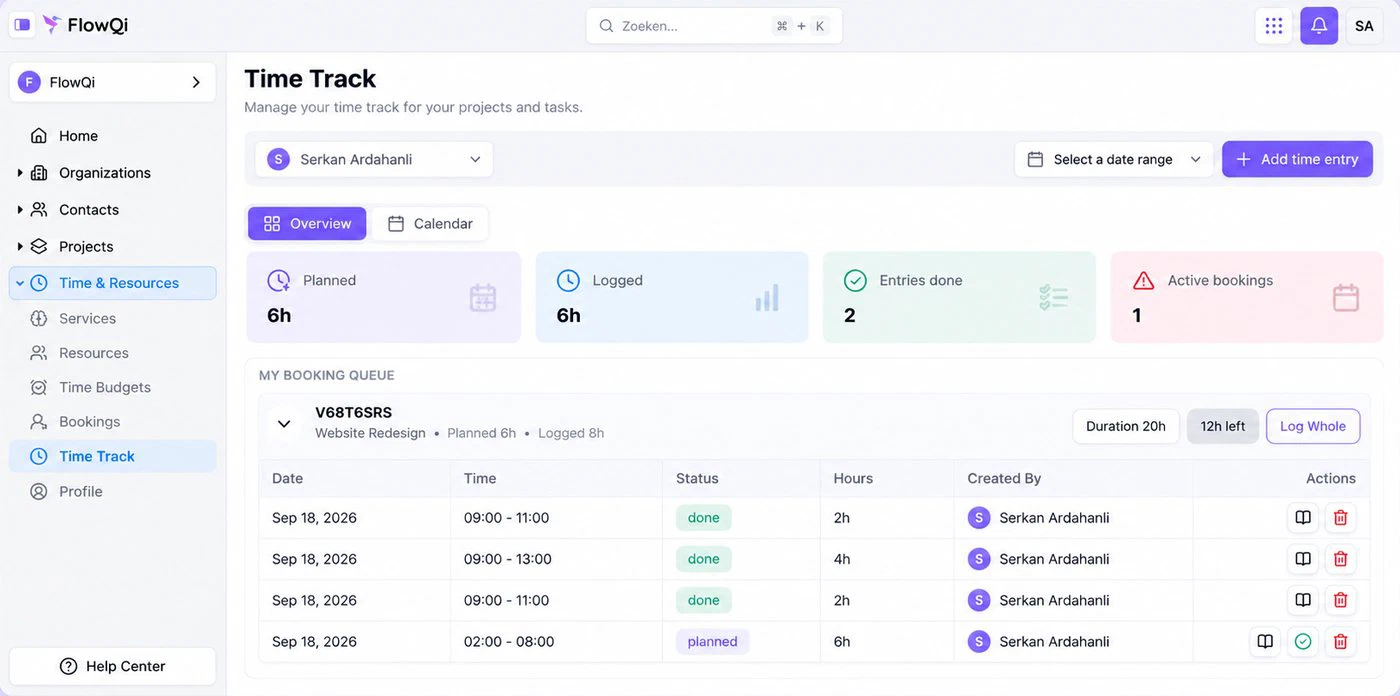
Time Track in FlowQi: planned against logged hours, the booking queue for a project, and the time entries behind them

1. FlowQi

Our product

Best when only part of your team logs hours.

  • $275 when all 10 log hours
  • No minimum
  • Free plan
Choose FlowQi if

the hours are the start of something rather than the end. A logged hour in FlowQi sits on a client and a project you already manage in the same place, counts against a time budget, shows up in the capacity view, and becomes an invoice line. Everyone works free on Basic with CRM, projects and tasks; Time & Resources is $25 per user for the people who log hours or get scheduled, and Invoicing is $25 per user for the people who invoice. On a team of 10 where 3 log hours and 1 invoices, that is $100 a month.

Less suited if

you want a timer and nothing else. When all ten people log hours, FlowQi sits at the top of this list, and TimeCamp or Clockify cover the same three jobs for around a third of that. FlowQi also has no automatic background tracking, and few public reviews so far.

What you get and what it costs

Strong at

  • CRM, projects and tasks free for the whole team.
  • Hours, capacity planning and utilisation in one module.
  • Time budgets per project, with hours counted against them.
  • Invoices built from logged hours, on the free plan too.
  • No seat minimum and no setup fee.

Weaker at

  • Priced above the field if everyone logs hours.
  • No automatic background tracking.
  • Young product with few public reviews.

Prices

  • Basic: free, unlimited users.
  • Time & Resources: $25 per user ($20 billed yearly).
  • Invoicing: $25 per user ($20 billed yearly).
  • Core: $25 per user for the whole team ($20 billed yearly).
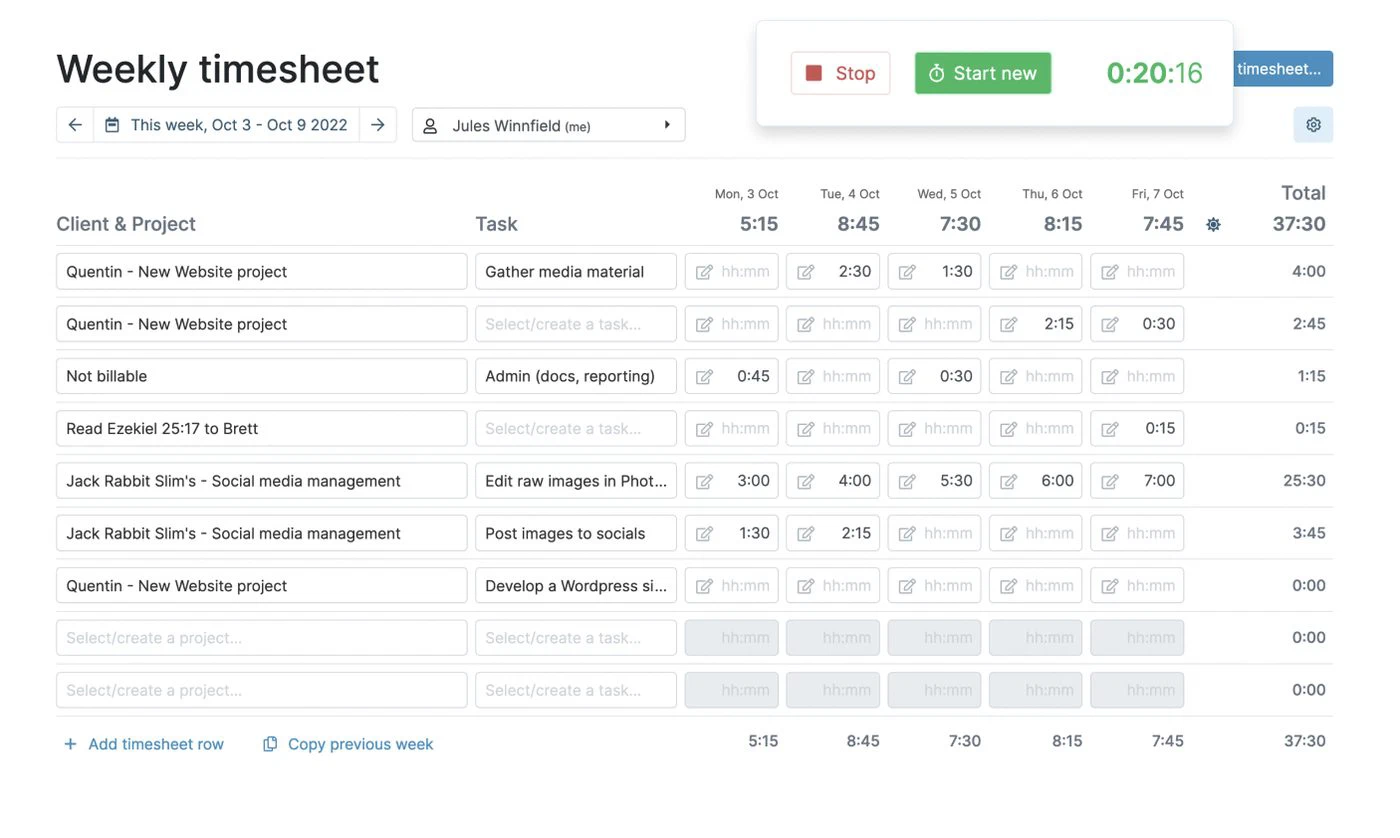
The My Hours weekly timesheet with a running timer, hours per client and project across the week

2. My Hours

Best simple tool that still approves timesheets.

  • $90 for a team of 10
  • Free up to 5 users
  • One paid plan covers it
Choose My Hours if

you want one paid plan that does the job without a feature matrix. Pro at $9 a seat includes invoicing, timesheet approval and target hours per person, which several competitors split across two tiers. The free plan covers five people.

Less suited if

planning ahead is part of why you are buying. Target hours per person is a number to measure against, not a view of who is booked on what next month, so this is the one price on the list that is cheap partly because it does less. My Hours is also the smallest vendor here, with a narrower set of integrations.

Strengths, weaknesses and prices

Strong at

  • Invoicing and approval on the same plan.
  • Straightforward to set up.
  • Free for up to five people.

Weaker at

  • Target hours instead of real scheduling.
  • Fewer integrations than the bigger names.

Prices

  • Free: $0, up to 5 active users.
  • Basic: $5 per user ($4 billed yearly).
  • Pro: $9 per user ($8 billed yearly).
  • Enterprise: on request.
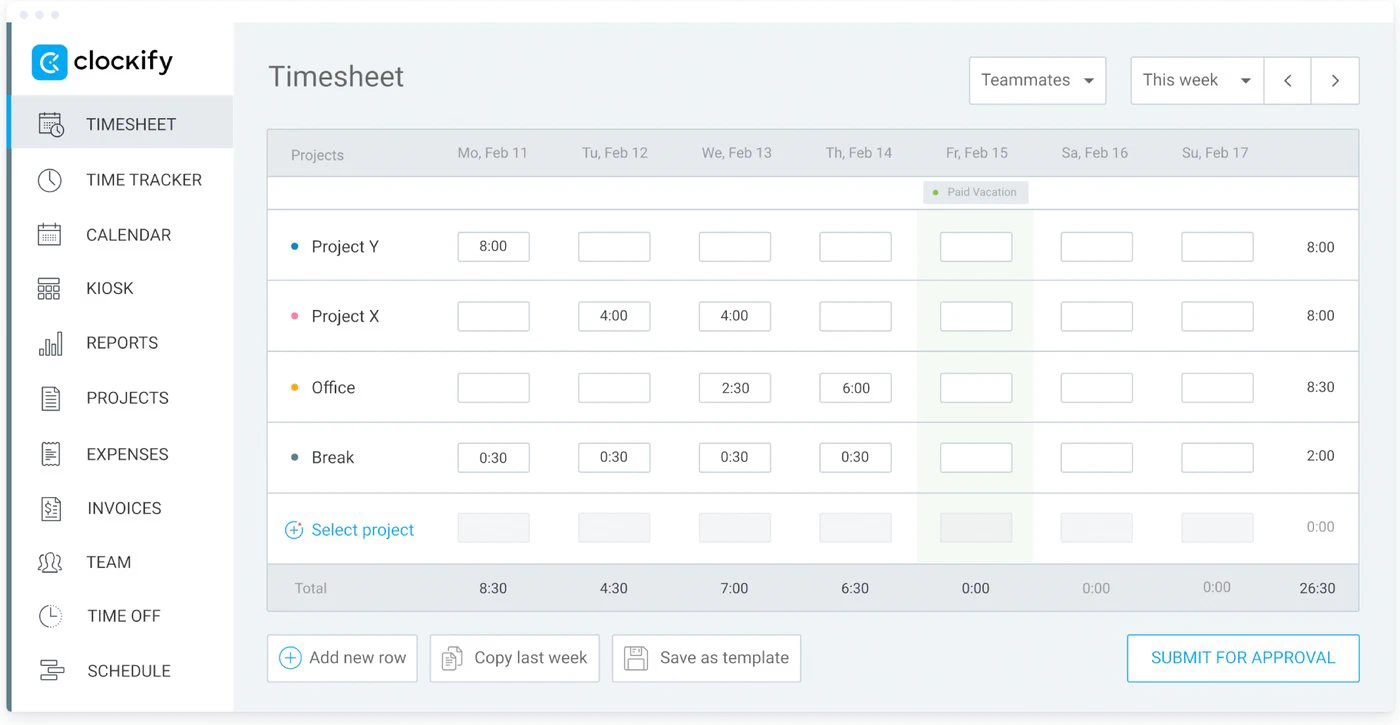
The Clockify weekly timesheet: hours per project per day of the week, ready to submit for approval

3. Clockify

Best known name, and it does all three jobs cheaply.

  • $99.90 for a team of 10
  • Free up to 5 users
  • Rated 4.8 by 9,200 users
Choose Clockify if

you want the tool most people have already used. Pro at $9.99 a seat covers invoicing, timesheet approval and scheduling together. If you can do without planning, Standard at $6.99 keeps invoicing and approval, and the free plan covers five people with timers and timesheets.

Less suited if

you expect the free plan to carry a team. It stops at five users, and invoicing, approval and scheduling are all paid. Clockify is a time tracker with billing attached rather than a place where your client and project work lives.

Strengths, weaknesses and prices

Strong at

  • All three jobs for $9.99 a seat.
  • Free for up to five people.
  • Very widely used and reviewed.

Weaker at

  • Free plan capped at five users.
  • Client and project work lives elsewhere.

Prices

  • Free: $0, up to 5 users.
  • Basic: $4.99 per user ($3.99 billed yearly).
  • Standard: $6.99 per user ($5.49 billed yearly).
  • Pro: $9.99 per user ($7.99 billed yearly).
  • Enterprise: $14.99 per user ($11.99 billed yearly).
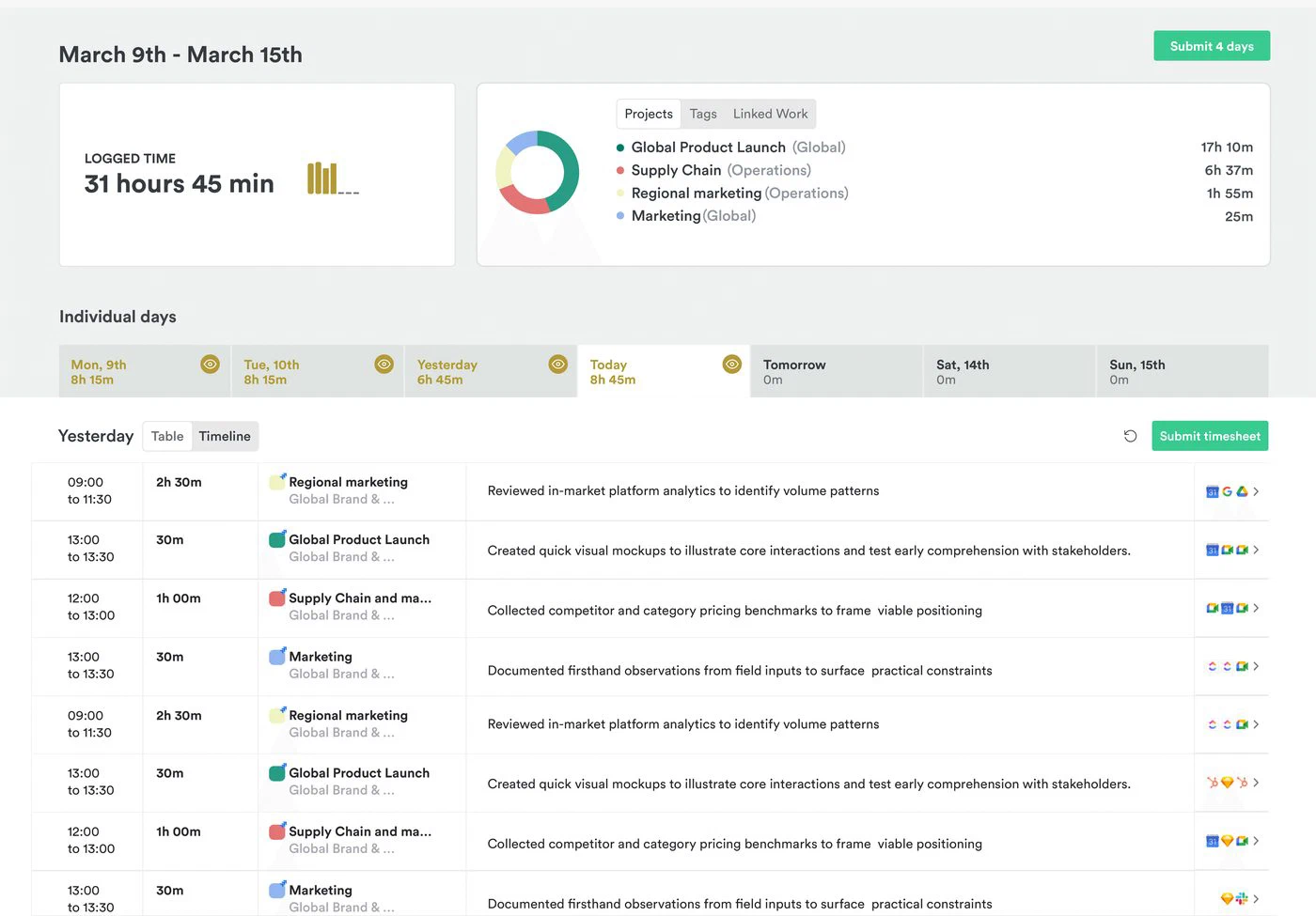
The TimeCamp weekly timesheet: hours per project per day of the week, with the week submitted for approval

4. TimeCamp

Best free plan on this list.

  • $99.90 for a team of 10
  • Free plan, unlimited users
  • Invoicing on every plan
Choose TimeCamp if

you want the lowest bill and you are not fussy about polish. TimeCamp is the only tool here whose free plan takes unlimited users and still includes invoicing. Premium at $9.99 adds the resource planner, and if you can skip planning, Starter at $5.49 is the cheapest paid seat on this page.

Less suited if

you need timesheet approval, which sits on Ultimate at $13.99 a seat and would take a team of 10 to $139.90. The interface is the least modern of the eight and reviewers regularly mention the desktop app being awkward.

Strengths, weaknesses and prices

Strong at

  • Free plan with unlimited users and invoicing.
  • Cheapest paid seat on this list.
  • Automatic tracking of apps and websites.

Weaker at

  • Timesheet approval only on the top plan.
  • Dated interface.

Prices

  • Free: $0, unlimited users.
  • Starter: $5.49 per user ($3.99 billed yearly).
  • Premium: $9.99 per user ($6.99 billed yearly).
  • Ultimate: $13.99 per user ($9.99 billed yearly).
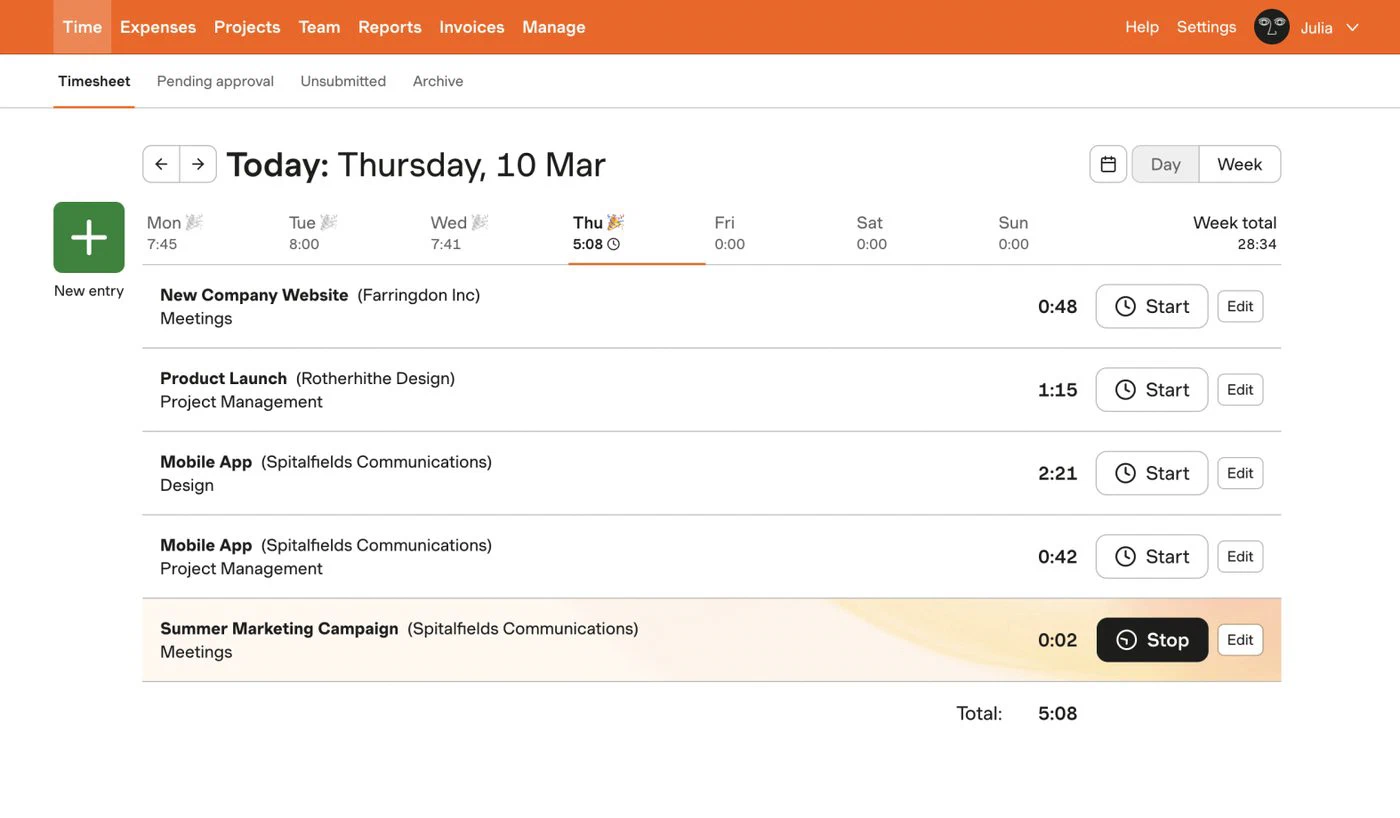
The Harvest timesheet for one day: entries per client and project, with a timer running on the last one

5. Harvest

Best for turning billable hours into a client invoice.

  • $172.50 for a team of 10
  • Free for 1 seat, 2 projects
  • 12,000+ App Store reviews
Choose Harvest if

billing clients from hours is the whole point. Harvest has done this longer than anyone here and it shows in the invoicing, the reminders and the accounting integrations. Teams is $11 a seat with unlimited seats and projects.

Less suited if

you want one bill. Capacity planning is Forecast, a separate product at $6.25 a person that you subscribe to alongside Harvest, which is what takes a team of 10 from $110 to $172.50. Timesheet approval and profitability reporting start on Enterprise at $17.50 a seat, and Harvest bills additional invoices, projects, clients and tasks on top of the seat price as you use more.

Strengths, weaknesses and prices

Strong at

  • Invoicing on every paid plan, including the free seat.
  • Strong accounting and payment integrations.
  • Very well reviewed over many years.

Weaker at

  • Planning is a separate subscription.
  • Approval and profitability only on Enterprise.
  • Usage-based charges on top of the seat price.

Prices

  • Free: $0, 1 seat, 2 projects.
  • Teams: $11 per seat ($9 billed yearly).
  • Enterprise: $17.50 per seat ($14 billed yearly).
  • Forecast, for planning: $6.25 per person ($5 billed yearly).
A week in Timely: logged hours per project with the day's timeline of what was actually worked on

6. Timely

Best when people forget to start the timer.

  • $200 for a team of 10
  • No free plan
  • Starter limited to 5 users
Choose Timely if

the problem is not which tool but that nobody logs anything. Timely records what happens on the machine and in the calendar, then proposes the entries, so the work is to confirm rather than to remember. Premium at $20 a seat includes invoicing and capacity planning.

Less suited if

you are ten people on a budget. Starter at $11 is capped at five users, so a team of 10 pays Premium at $20, and there is no free plan to try it on. Background tracking also needs a conversation with your team before you switch it on.

Strengths, weaknesses and prices

Strong at

  • Captures time without anyone starting a timer.
  • Invoicing and capacity planning on the same plan.
  • Built for consultancies and agencies.

Weaker at

  • No free plan.
  • Starter unusable above five people.
  • Background tracking needs consent.

Prices

  • Starter: $11 per user ($9 billed yearly), max 5 users.
  • Premium: $20 per user ($16 billed yearly), max 50 users.
  • Unlimited: $28 per user ($22 billed yearly).
  • Enterprise: on request.
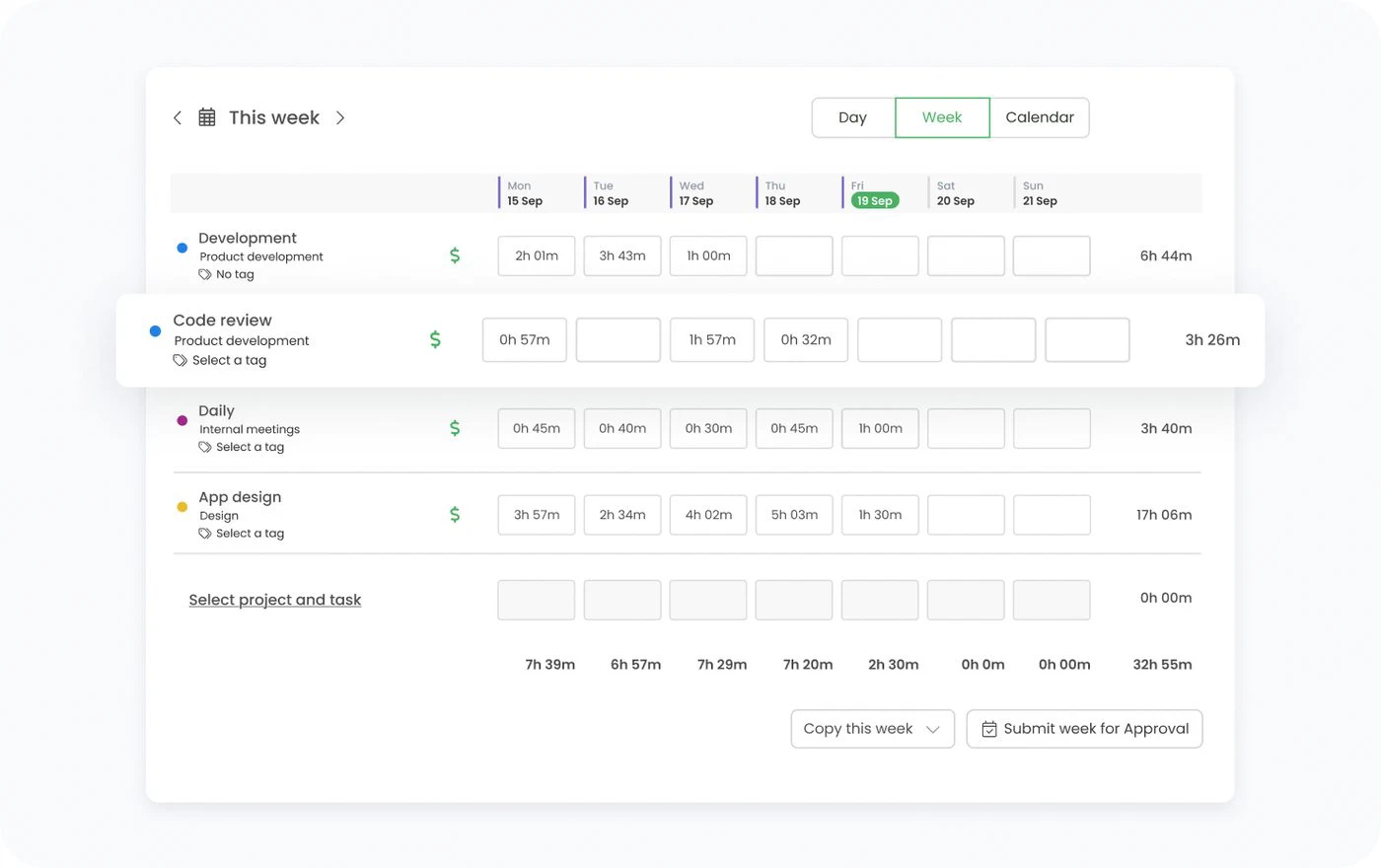
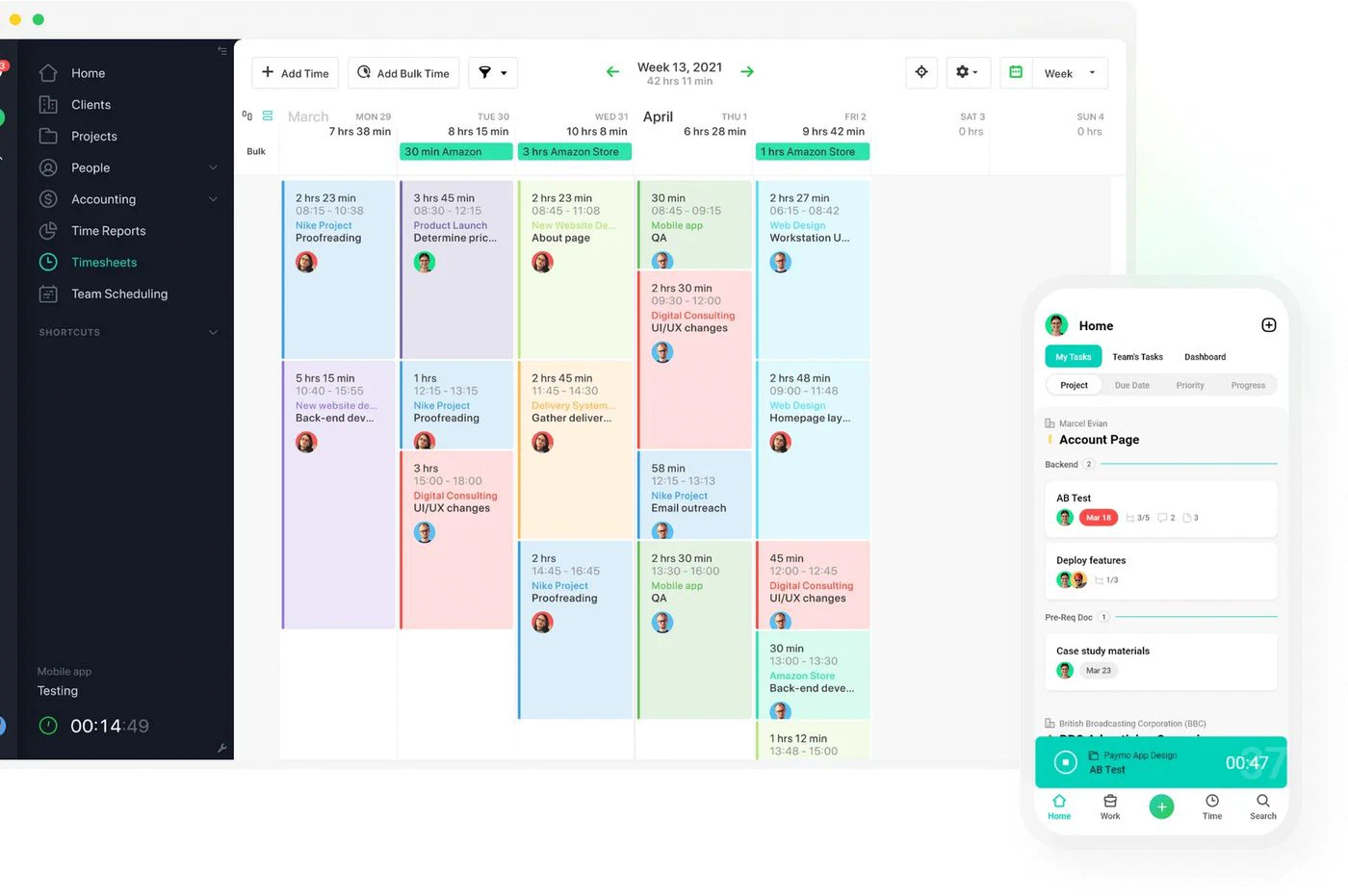
The Paymo timesheet week view: time entries per day per project, with the mobile timer beside it

7. Paymo

Best when the agency plans the work as well as bills it.

  • $239 for a team of 10
  • Free for 1 user
  • Scheduling on Pro
Choose Paymo if

you want time tracking inside a small project tool rather than beside one. Pro at $23.90 a seat covers invoicing, employee scheduling, workload, Gantt and timesheet approval together, which is the most complete single plan on this page after FlowQi. Plus at $15.90 keeps invoicing and profitability but drops the scheduling.

Less suited if

the advertised price is what you budgeted. The $10.90 and $16.90 shown on the pricing page are an introductory rate for the first three months, after which Plus is $15.90 and Pro is $23.90. The free plan is one user with one client and two projects.

Strengths, weaknesses and prices

Strong at

  • Scheduling, workload and approval all on Pro.
  • Project profitability from Plus.
  • Invoicing on every plan, free included.

Weaker at

  • Headline price is a three-month introductory rate.
  • Everything you want sits on the top plan.
  • Free plan is a single user.

Prices

  • Free: $0, 1 user, 1 client, 2 projects.
  • Solo: $9.90, 1 user.
  • Plus: $15.90 per user.
  • Pro: $23.90 per user.
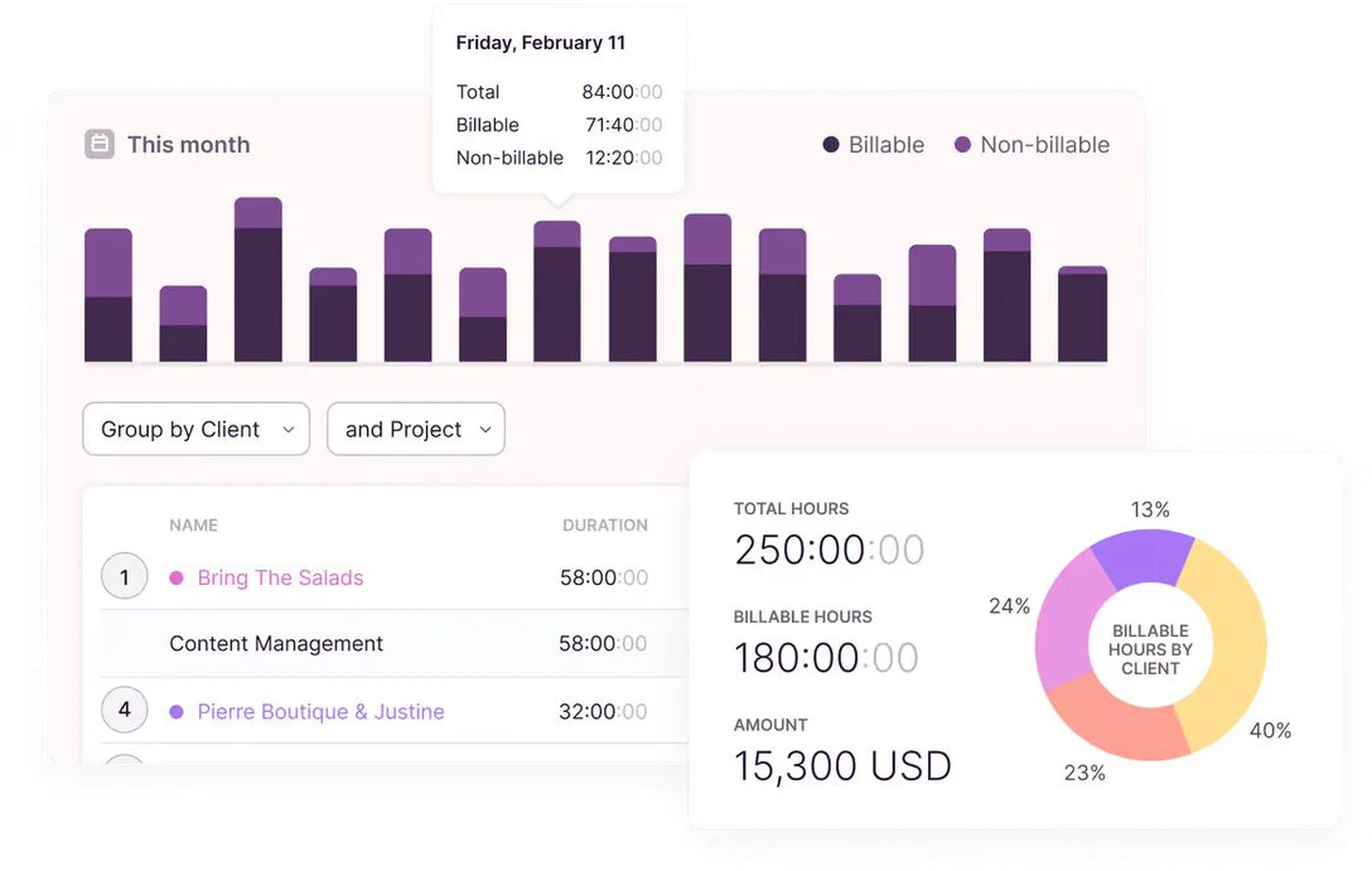
Toggl reporting billable against non-billable hours, grouped by client and project, with the amount earned

8. Toggl Track

Best pure timer for people who switch tasks all day.

  • $240 for a team of 10
  • Free up to 3 users
  • No built-in invoicing
Choose Toggl Track if

starting and stopping the timer has to be effortless. Toggl is the one reviewers praise for getting out of the way, across desktop, mobile and browser, and Premium at $24 a seat adds timesheet approval, capacity monitoring and utilisation reporting.

Less suited if

you want the hours to become an invoice. Toggl does not invoice at any tier, so you export or integrate, which makes it the most expensive tool here for a job it does not finish. The free plan also stops at three users for teams, the tightest cap on this page.

Strengths, weaknesses and prices

Strong at

  • The timer people actually keep using.
  • Utilisation reporting on Premium.
  • Works everywhere your team does.

Weaker at

  • No invoicing at all.
  • Premium doubles the Starter price.
  • Free plan stops at three users.

Prices

  • Free: $0, up to 3 users.
  • Starter: $12 per user ($9 billed yearly).
  • Premium: $24 per user ($16 billed yearly).
  • Enterprise: on request.

Frequently asked questions

What is the best time tracker for consultants?

Harvest, if billing the client is the point: invoicing sits on every paid plan at $11 a seat and the accounting integrations are the most complete here, though planning costs $6.25 a person more. TimeCamp and Clockify cover hours, invoicing and planning for around $10 a seat if you can live with a plainer product. If the hours also need to sit next to the client, the project and the capacity plan in one place, a platform such as FlowQi covers the chain instead of the step, at $25 per user who logs hours.

What is the best time tracking software for professional services?

Professional services firms need three things beyond a timer: hours counted against a project budget, a view of who is booked in the coming weeks, and an invoice built from approved hours. Paymo Pro at $23.90 and Timely Premium at $20 cover all three in one plan. Harvest covers billing best but sells planning as a separate subscription. FlowQi puts hours, time budgets and capacity in one module at $25 per user and charges only for the people who use it.

What is the best time tracker for freelancers?

For one person, look at the free plans. TimeCamp Free has no user cap and includes invoicing. Harvest Free gives one seat with invoicing but only two projects. Paymo Free is one user with one client and two projects. Clockify Free covers five users, so it grows with you if you take on help. Toggl Free is a clean timer but never invoices.

Is Clockify truly free?

Yes, for up to five users, and the free plan is genuinely usable: unlimited time tracking, projects and reports, with no trial clock. What it does not include is invoicing, timesheet approval or scheduling. Those start on Standard at $6.99 per user per month, and scheduling on Pro at $9.99. So it is free to track time, and paid to bill and plan around it.

What does time tracking software cost for a team of 10?

For a team of 10 that logs hours, invoices them and plans its capacity, on monthly billing: My Hours $90 though its planning is only target hours, Clockify Pro $99.90, TimeCamp Premium $99.90, Harvest $172.50 including Forecast, Timely Premium $200, Paymo Pro $239, Toggl Premium $240 and still no invoicing, and FlowQi $275. If only three of the ten log hours, FlowQi is $100 and the rest of the team keeps working on the free plan. Prices checked in September 2026.

Which time tracking tools include invoicing?

TimeCamp, Harvest and Paymo include invoicing on every plan, free tiers included. My Hours includes it from Pro and Clockify from Standard. Timely includes it on all plans but has no free tier. Toggl Track does not invoice at all at any price. FlowQi bills it as a module at $25 per user who sends invoices, which works on the free Basic plan.

Is there free time tracking software?

TimeCamp Free is the most generous: unlimited users and invoicing included. Clockify Free covers five users, My Hours Free five users, Harvest Free one seat and two projects, Paymo Free one user, Toggl Free three users. FlowQi Basic is free for unlimited users with CRM, projects and tasks, and time tracking is $25 per user who logs hours. Timely has no free plan.

What is the difference between time tracking and capacity planning?

Time tracking records what already happened, so you can bill it and see where the hours went. Capacity planning is the other direction: who is available in the coming weeks and whether the work fits. Most tools on this list do the first well and treat the second as a higher tier or, at Harvest, a separate product. You need both to answer whether a project is still on track while you can do something about it, which is why this comparison prices them together.

Start free with your whole team

CRM and projects free for everyone. Time & Resources and Billing only for the people who use them.

How we compared: prices come from each vendor's own pricing page, checked on 20 September 2026. The scenario is a team of 10 that logs hours, invoices them and plans its capacity, with one person sending the invoices. For each tool we took the cheapest plan that covers all three, which is why several appear above their advertised entry price, and why Harvest includes Forecast at $6.25 a person on top of its seat price. Comparing entry plans instead would have set a full platform against a bare timer. Where a pricing page defaults to annual billing we switched it to monthly and quote both. FlowQi is shown in dollars like the rest: it charges the same figure in either currency rather than converting, so €25 in the EU is $25 elsewhere. Introductory rates are named as such and the regular price is used. Screenshots come from the vendors' own websites.

Sources