Comparison · Updated

The 8 best marketing agency software tools in 2026, compared on the same job

Software for marketing agencies means five different things depending on who is selling it: a project tool, a CRM, a time tracker, an invoicing app or a platform that claims all four. This page compares eight of them on the same job, what an agency of 10 pays to run its pipeline, projects, hours and invoices, with seat minimums applied and the jobs a tool does not do marked as such. FlowQi is our own product, so we say where it loses too.

Serkan Ardahanli, founder of FlowQi
Short answer

Productive is the value pick: $100 a month for ten people covers pipeline, projects, time, budgets and invoicing, billed yearly with a three-seat minimum. Bonsai does the same job for $250 with a client portal built in and suits agencies under ten people. Teamwork.com at $249.90 and Scoro at $570 are the heavier platforms, with five-seat minimums and, at Teamwork.com, no CRM. monday.com needs two products to cover the job, $310 together. Asana and HubSpot each do half of it well and none of the rest. FlowQi is $250, because the CRM and projects are free for everyone and Time & Resources is charged per person who logs hours.

All eight side by side

Price per month for an agency of 10 that runs a client pipeline, projects and time tracking for everyone, and invoices sent by two people.

ToolBest forMinimumFree planAgency of 10
FlowQiPipeline, projects, hours and invoices, paid per moduleNoneYes, Basic$250Time & Resources for 10
ProductiveThe whole chain at the lowest price3No, 14-day trial$100Essential, billed yearly
BonsaiBuilt for small agencies and freelancersNoneNo, 7-day trial$250Essentials, $190 billed yearly
Teamwork.comProjects, time and invoicing, no CRM5Yes, 5 users, 5 projects$249.90Accelerate, billed yearly
ScoroThe finance-first platform, priced to match5No, 14-day trial$570End-to-end
monday.comTwo products to cover the job3Yes, 2 seats$310Pro plus monday CRM, billed yearly
AsanaProjects and workload, nothing after the timesheetNoneYes, Personal$304.90Advanced, $249.90 billed yearly
HubSpotThe pipeline and the marketing, not the deliveryNoneYes, 2 users$200Starter Customer Platform, regular price

List prices checked on 26 September 2026 on each vendor's own pricing page, excluding tax, monthly billing unless noted. For each tool this is the cheapest plan that covers the jobs it offers, so several sit above their advertised entry price, and a job a tool does not do is marked in its card. Productive, Teamwork.com and monday.com are shown at yearly billing, the dollar figures they publish. monday.com sets prices by billing country and needs its separate CRM product for the pipeline. HubSpot is shown at its regular Starter price; it runs promotions on new Starter subscriptions. Scoro and Teamwork.com are priced at their five-seat minimums, which ten people clear.

What to check before you buy

Four things that decide the bill and the fit, and how FlowQi handles each one.

Decide which jobs the software has to do

Every list of agency software mixes categories. Asana runs projects and stops at the timesheet. HubSpot runs the pipeline and stops at the quote. Bonsai, Productive, Scoro and Teamwork.com try to cover the chain from lead to invoice, and the price difference between them is mostly how much of that chain is in the entry plan. Write down which of pipeline, projects, hours, capacity and invoices you need before you compare prices.

At FlowQi

CRM, projects and tasks are free for everyone. Hours and capacity are one module, invoicing is another, each added per person, so the chain is there and you only pay for the links you use.

Seat minimums move the real entry price

Productive and monday.com start at three seats, Scoro and Teamwork.com Accelerate at five, and monday.com sells seats in blocks after that. For an agency of four, the cheapest platform is not the one with the lowest per-seat price but the one whose minimum you actually fill.

At FlowQi

No minimum. One person can be on Time & Resources for $25 and the other nine work free on Basic.

You pay for everyone in the workspace

Most platforms charge every user the same plan price, including the account manager who never logs an hour and the founder who only reads reports. Ten people on Teamwork.com Accelerate pay for ten Accelerate seats even if two of them invoice and four track time.

At FlowQi

Everyone works free on Basic. Time & Resources is charged only for the people who log hours or are scheduled, invoicing only for the people who send invoices.

Hours have to reach the invoice

A project tool with time tracking tells you what happened; it does not bill it. A CRM with quotes tells you what was sold; it does not know the hours. If those live in two products, someone reconciles them every month, and the difference between them is the write-off nobody planned.

At FlowQi

The client, the project, the logged hours and the invoice are one chain: approved hours become invoice lines on the client they belong to.

The tools

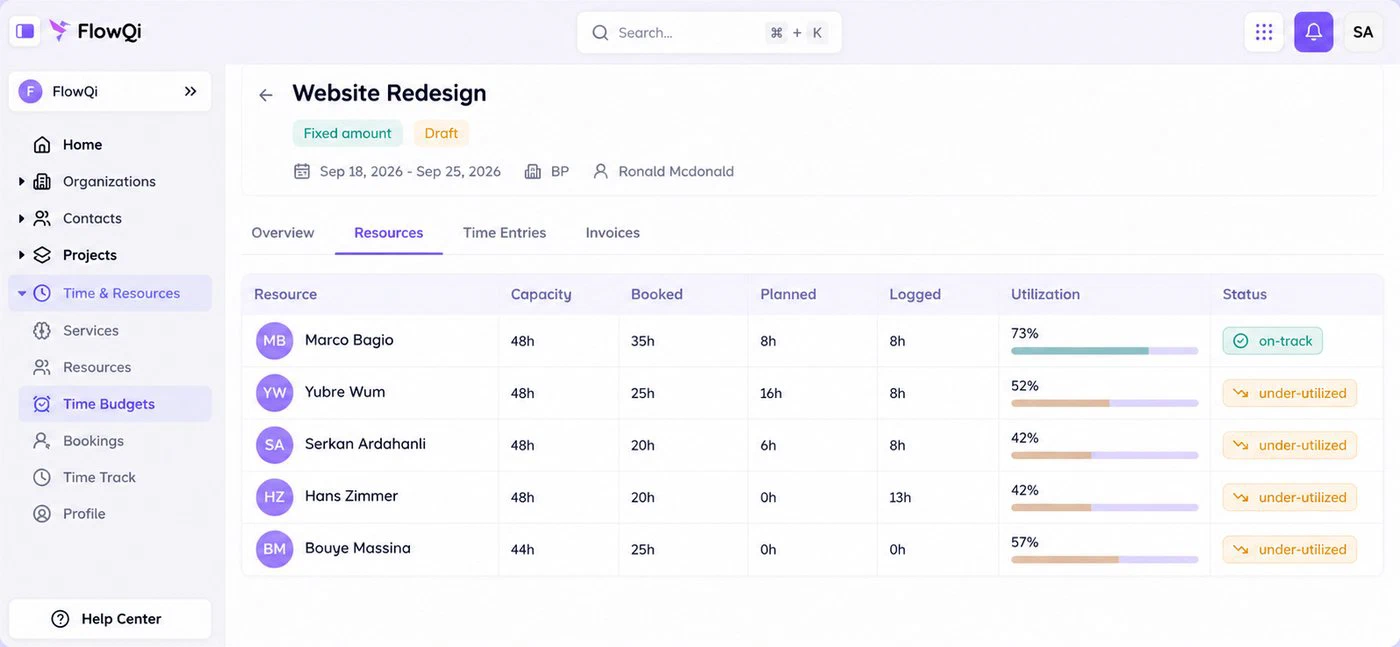
The resource view on a FlowQi project: capacity, booked, planned and logged hours per person, with utilisation per person

1. FlowQi

Our product

Best when only part of your team logs hours or invoices.

  • $250 for a team of 10
  • No minimum
  • CRM and projects free
Choose FlowQi if

you want the chain from client to invoice in one system without paying the full platform price for people who only need the CRM and the projects. Basic is free for the whole team. Time & Resources is $25 per person who logs hours or is scheduled, and it covers time budgets, capacity and utilisation. For ten people who all log hours that is $250. Invoicing is a separate module, $25 per person who sends invoices.

Less suited if

everyone on the team logs hours and invoices, because then Productive does the same job for less. FlowQi also has no marketing automation, so campaigns and email sequences stay in a marketing tool, and it has few public reviews so far.

What you get and what it costs

Strong at

  • CRM, projects and tasks free for the whole team.
  • Hours, time budgets, capacity and utilisation in one module.
  • Approved hours become invoice lines on the client.
  • No seat minimum and no setup fee.

Weaker at

  • Priced above Productive when everyone logs hours and invoices.
  • No marketing automation.
  • Young product with few public reviews.

Prices

  • Basic: free, unlimited users.
  • Time & Resources: $25 per user ($20 billed yearly).
  • Invoicing: $25 per user ($20 billed yearly).
  • Core: $25 per user for the whole team ($20 billed yearly).
The Productive budget view: planned revenue, cost and profit per project

2. Productive

Best value when the whole team is on it.

  • $100 for a team of 10
  • Minimum 3 seats
  • Deals to invoice in one plan
Choose Productive if

you want pipeline, projects, time tracking, budgets, resource planning and invoicing in one plan and everyone on the team will use it. Essential at $10 a seat billed yearly covers all of that, which nothing else on this list does at that price. Professional at $25 adds rate cards, billable time approvals, recurring budgets and accounting integrations.

Less suited if

you want to pay monthly at that price, or only a few people need the paid parts. All plans need three seats, everyone in the workspace is a paid seat, and revenue forecasting sits on Ultimate, which is priced on request.

Strengths, weaknesses and prices

Strong at

  • Deals, budgets, resource planning, time and invoicing in the entry plan.
  • Profitability per project and per client.
  • Clients can be invited free.

Weaker at

  • Three-seat minimum.
  • Approvals and rate cards only on Professional.
  • Forecasting only on Ultimate, priced on request.

Prices

  • Essential: $10 per seat billed yearly, minimum 3.
  • Professional: $25 per seat billed yearly.
  • Ultimate: on request.
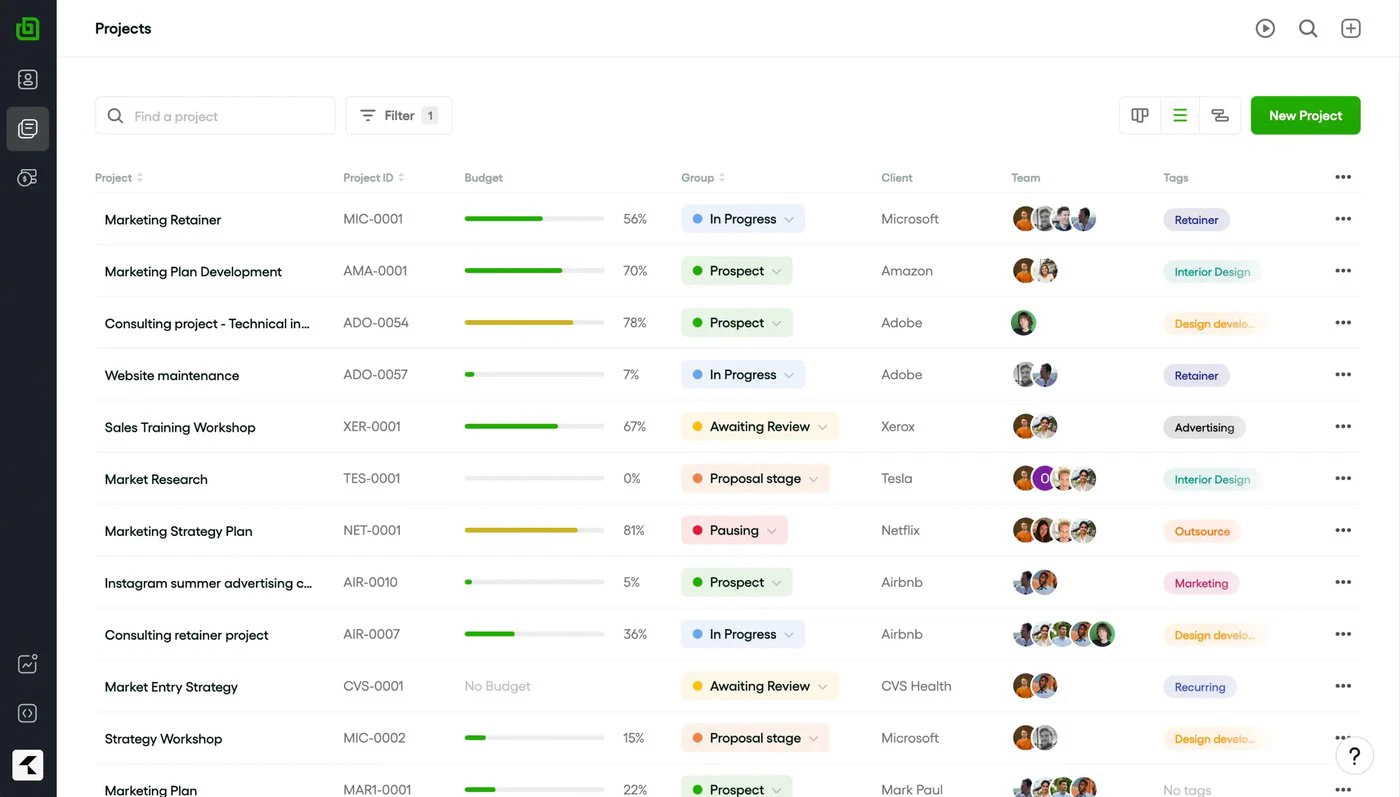
The Bonsai projects view: client projects with status, budget and hours

3. Bonsai

Best for agencies under ten people.

  • $250 for a team of 10
  • No minimum below Elite
  • Client portal included
Choose Bonsai if

you are a small agency or a freelancer with help, and you want CRM, proposals, projects, time tracking and invoicing without a platform to configure. Basic at $15 a seat covers time tracking, tasks, projects and the CRM; Essentials at $25 adds the client portal, scheduling and expense tracking. Yearly billing takes it to $9 and $19.

Less suited if

you need resource planning across a team or reporting that goes past the basics. Capacity is not part of the product, reporting sits on Premium at $39, and the team-management tier, Elite at $59, is where the three-user minimum starts. It is built for the small end of the market and shows it as you grow.

Strengths, weaknesses and prices

Strong at

  • CRM, proposals, projects, time and invoicing in one simple product.
  • Client portal from the Essentials plan.
  • No seat minimum on the first three plans.

Weaker at

  • No resource or capacity planning.
  • Reporting only from Premium.
  • Outgrown by agencies past ten people.

Prices

  • Basic: $15 per user ($9 billed yearly).
  • Essentials: $25 per user ($19 billed yearly).
  • Premium: $39 per user ($29 billed yearly).
  • Elite: $59 per user ($49 billed yearly), minimum 3 users.
The Teamwork.com project view with tasks, time logged and budget

4. Teamwork.com

Best for delivery-heavy agencies that keep their CRM elsewhere.

  • $249.90 for a team of 10
  • Minimum 5 on Accelerate
  • No built-in CRM
Choose Teamwork.com if

project delivery is the centre of the agency and the pipeline lives in a CRM you already have. Accelerate at $24.99 a seat billed yearly adds intake forms, workload and capacity planning, time budgets, retainers and invoices from logged time to a strong project tool, and the AI teammates that come with the paid plans are ahead of what most of this list offers.

Less suited if

you want the client record in the same system. Teamwork.com has no CRM; on Optimize it connects to Salesforce and HubSpot to turn a pipeline into projects, and Optimize is priced on request. Everyone on the workspace pays the Accelerate rate, and Teamwork Desk for support is a separate subscription.

Strengths, weaknesses and prices

Strong at

  • Capacity planning, time budgets and retainers on Accelerate.
  • Invoices from logged time.
  • AI teammates on the paid plans.

Weaker at

  • No built-in CRM.
  • Five-seat minimum on Accelerate.
  • AI moves to usage-based credits from September 2026.

Prices

  • Free: up to 5 users and 5 projects.
  • Basics: $9.99 per user billed yearly, minimum 3.
  • Accelerate: $24.99 per user billed yearly, minimum 5.
  • Optimize and Enterprise: on request.
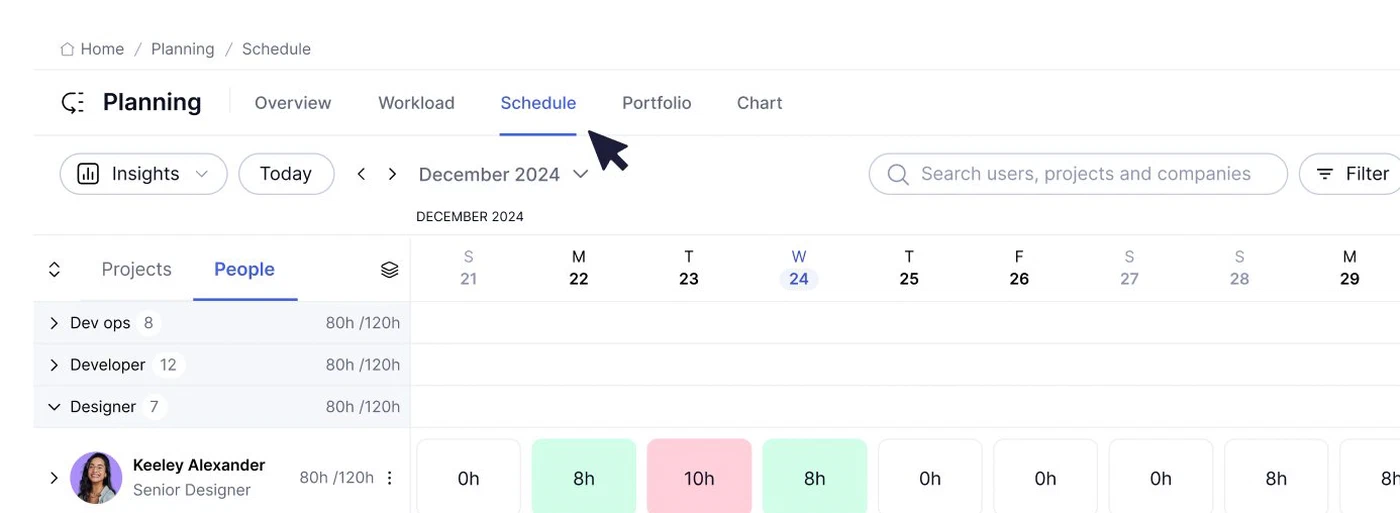
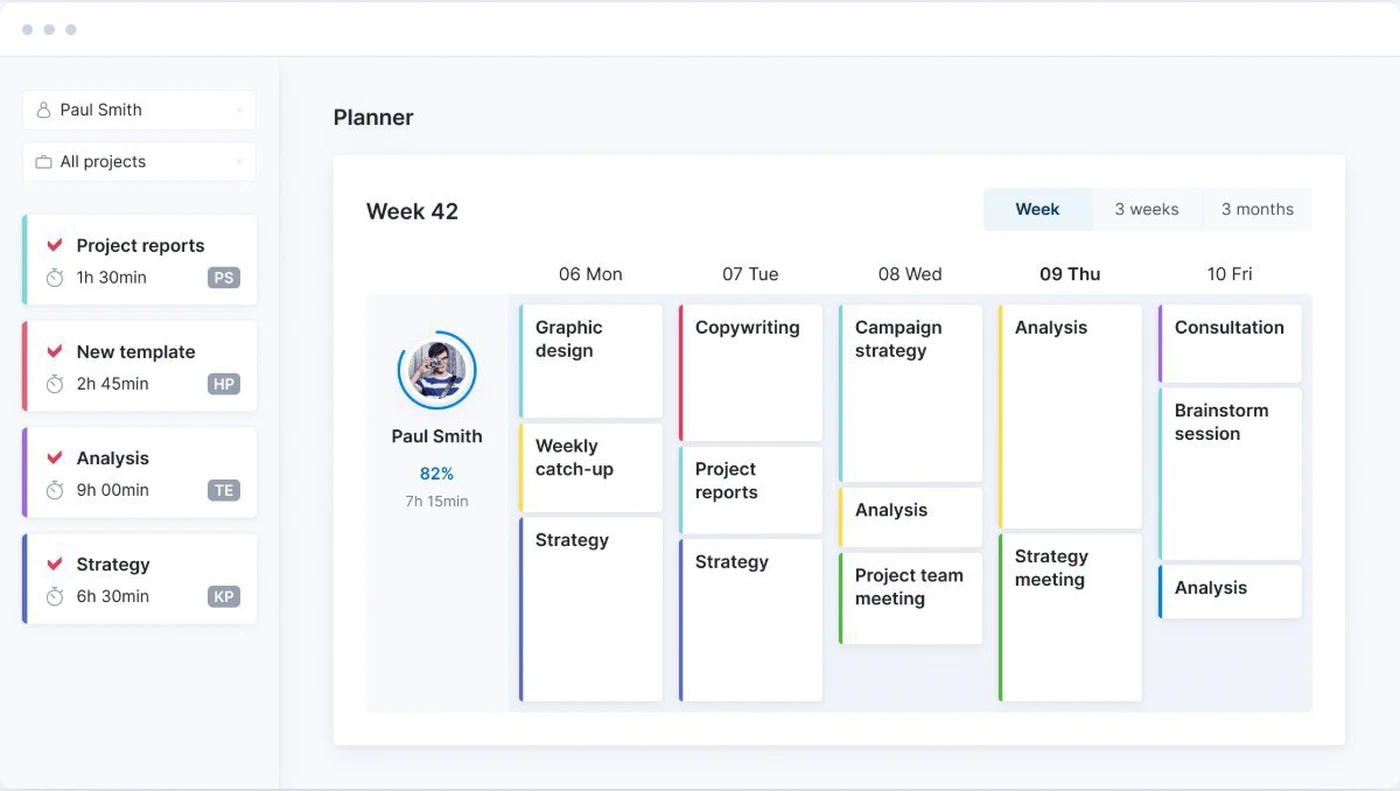
The Scoro planner: bookings per person with utilisation

5. Scoro

Best when the agency runs on margin reports.

  • $570 for a team of 10
  • Minimum 5 users
  • Quotes to revenue in one system
Choose Scoro if

you want quotes, projects, resources, time, invoicing and financial reporting in one system and you have the size to use it. Scoro is built from eight apps you combine; combinations start at $17 a user, and End-to-end at $57 is the one that covers the whole agency job. Its utilisation and revenue forecasting are the deepest here.

Less suited if

you are under ten people or want to start simple. Every combination needs five users, the entry combinations leave out either the projects or the finance side, and the packaging takes working out before you know what you will pay.

Strengths, weaknesses and prices

Strong at

  • Quotes, projects, time, invoicing and finance in one system.
  • Utilisation and revenue forecasting.
  • Reporting depth.

Weaker at

  • Five-user minimum.
  • The full job sits on the $57 combination.
  • Packaging takes working out.

Prices

  • Combinations from $17 per user, minimum 5.
  • Projects & Resources or Quote to Cash: $29 per user.
  • End-to-end: $57 per user.
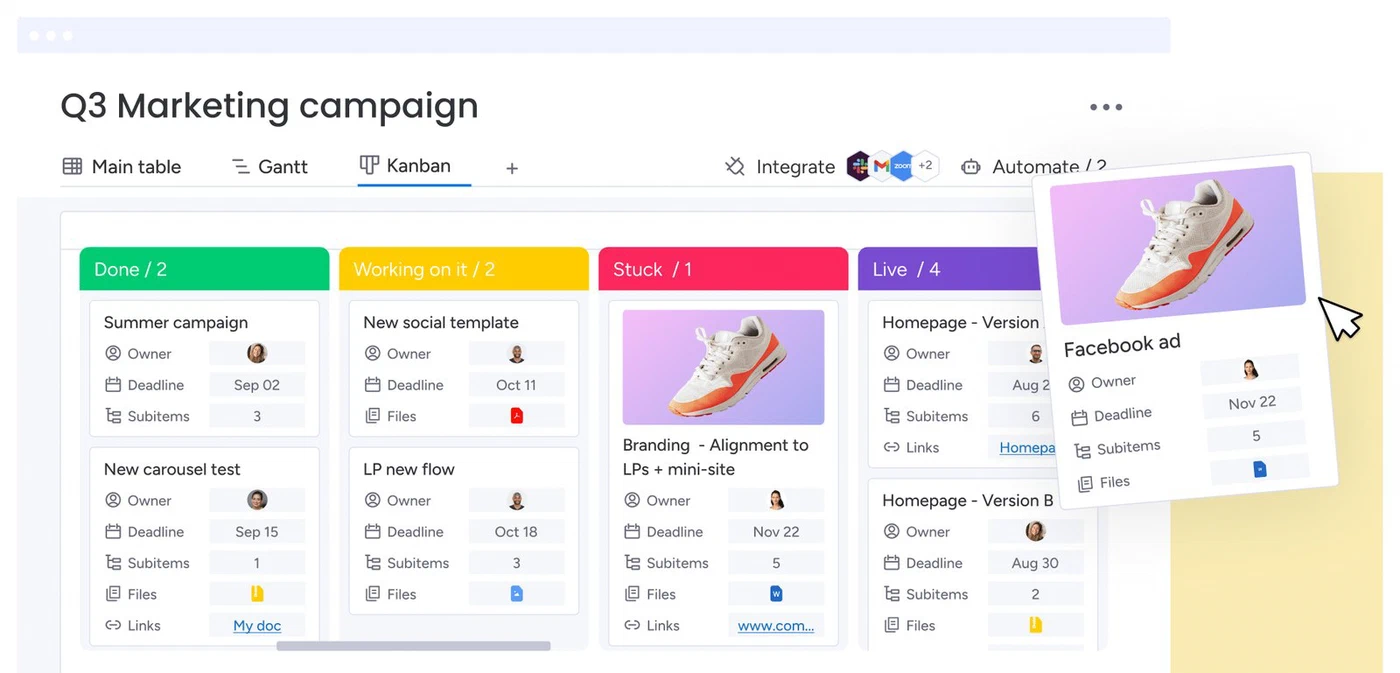
A monday.com board with status, owner and timeline columns

6. monday.com

Best for teams that want to build their own boards.

  • $310 for a team of 10
  • Minimum 3 seats
  • CRM is a separate product
Choose monday.com if

you like building your own workflows and your agency already thinks in boards. Work management Pro at $19 a seat billed yearly is where time tracking appears, and monday CRM from $12 a seat adds the pipeline, quotes and invoices as a second product on the same account.

Less suited if

you want one product with the chain built in. Time tracking only starts on Pro, the CRM is bought separately, capacity planning sits on Enterprise, and seats are sold in blocks after the three-seat minimum, so a team of six may pay for ten. Prices are set by billing country.

Strengths, weaknesses and prices

Strong at

  • Flexible boards and automations.
  • Free plan for two seats.
  • Large template library.

Weaker at

  • Time tracking only on Pro.
  • CRM is a separate paid product.
  • Seats sold in blocks.

Prices

  • Work management: Basic $9, Standard $12, Pro $19 per seat billed yearly, minimum 3.
  • monday CRM: from $12 per seat billed yearly, minimum 3.
  • Enterprise: on request.
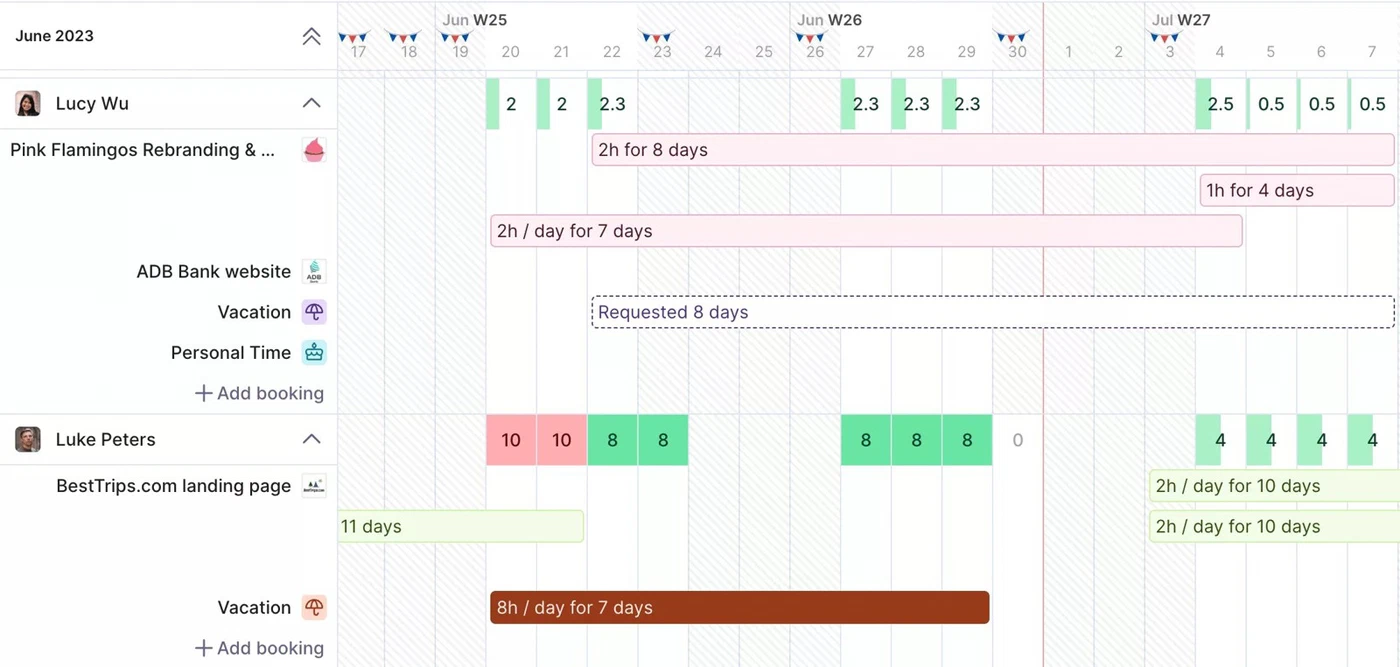
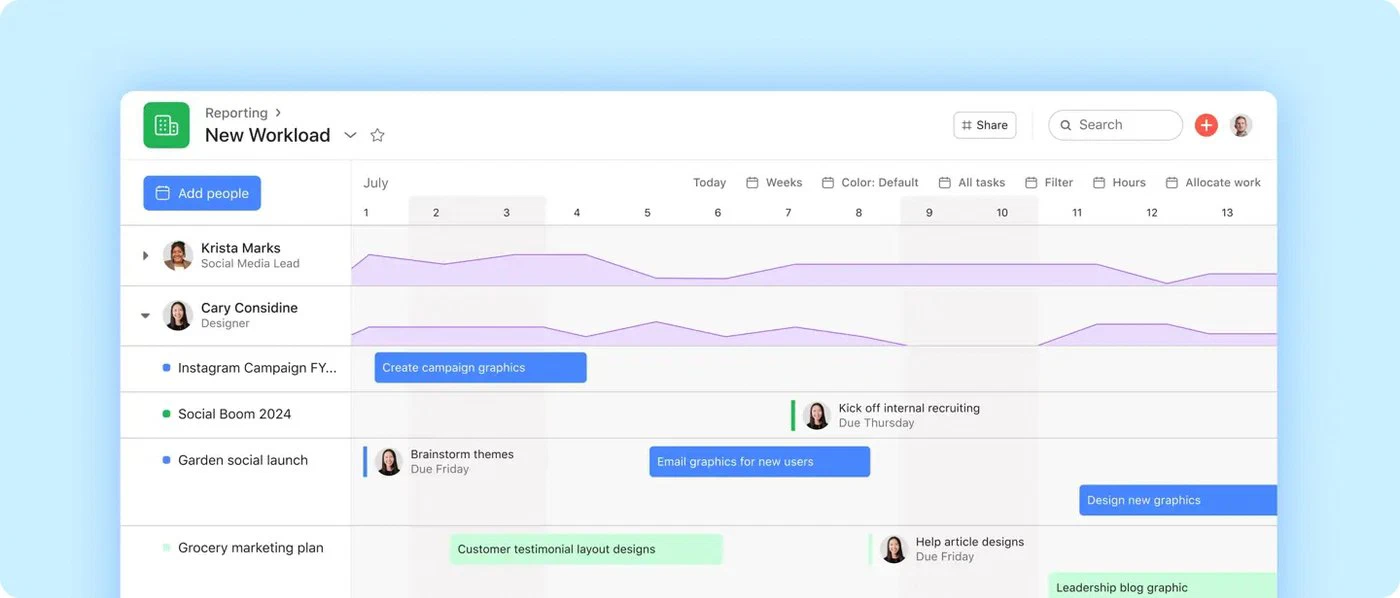
The Asana workload view: capacity per person across projects, with overloaded weeks highlighted

7. Asana

Best for the project side alone.

  • $304.90 for a team of 10
  • No CRM, no invoicing
  • Free guests
Choose Asana if

you want the best-known project tool with unlimited free guests for clients, and you run the pipeline and the invoices somewhere else. Starter at $13.49 a seat covers projects and timelines; Advanced at $30.49 adds time tracking, workload and capacity views.

Less suited if

the hours have to end up on an invoice. Asana has no CRM, no rates and no invoicing, so what the project cost and what it earned is answered in another tool. Time tracking and workload only appear on Advanced, and the AI features are metered per request on top.

Strengths, weaknesses and prices

Strong at

  • Unlimited free guests.
  • Time tracking and workload on Advanced.
  • Wide integration library.

Weaker at

  • No CRM, rates or invoicing.
  • Time tracking only on Advanced.
  • AI requests billed on top.

Prices

  • Personal: free, 2 seats.
  • Starter: $13.49 per user ($10.99 billed yearly).
  • Advanced: $30.49 per user ($24.99 billed yearly).
  • Enterprise: on request.
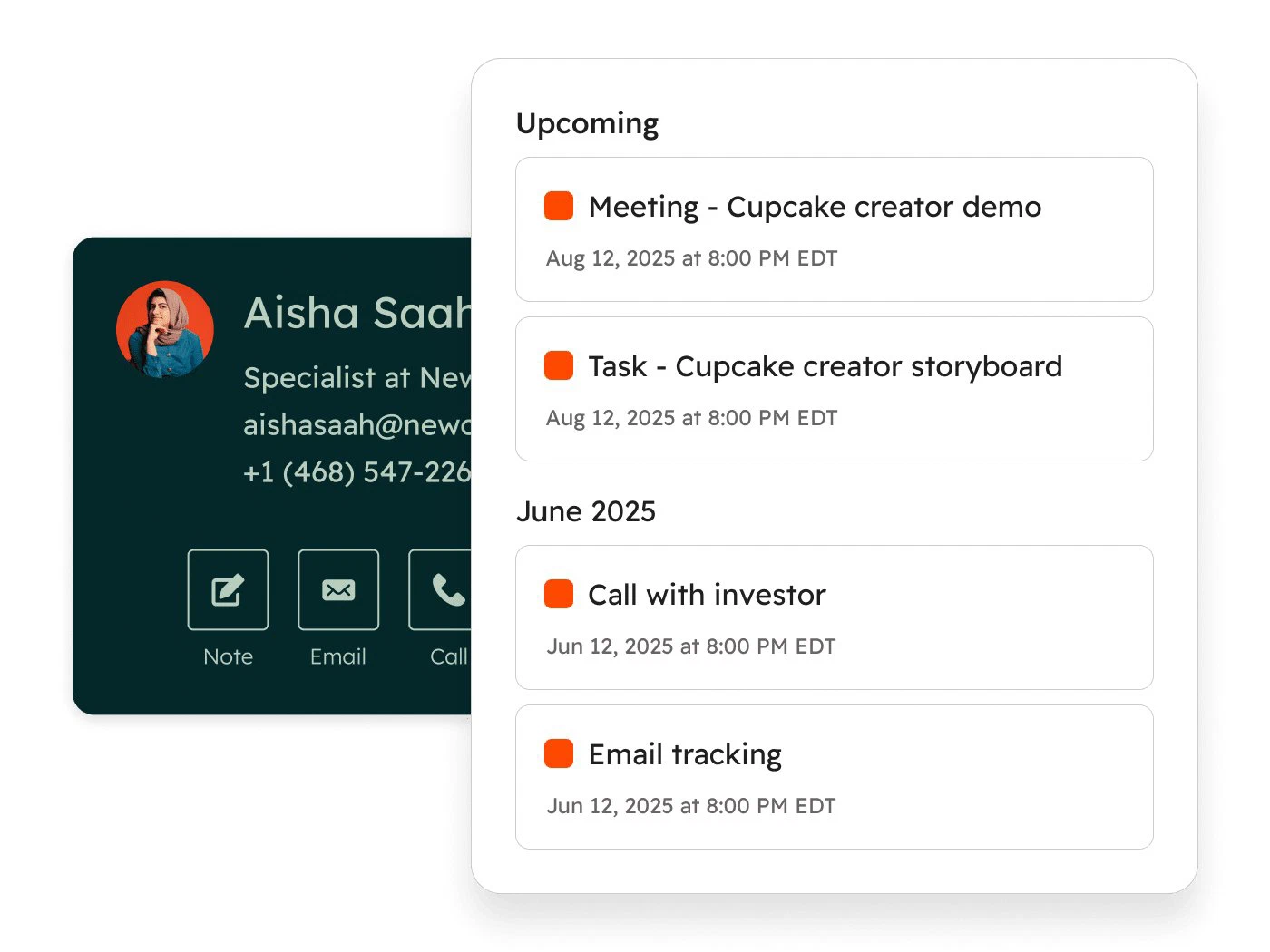
A HubSpot CRM contact record: activity timeline, deals and company details

8. HubSpot

Best for the marketing side alone.

  • $200 for a team of 10
  • No time tracking or project budgets
  • Free CRM for 2 users
Choose HubSpot if

the question is winning clients rather than delivering the work. The free CRM covers two users and 1,000 contacts, and the Starter Customer Platform at $20 a seat brings marketing, sales, service and content together with quotes and payments. For campaigns, forms and email sequences nothing else on this list comes close.

Less suited if

you need to know what the work cost. HubSpot has no time tracking, no project budgets and no invoicing from hours, so delivery lives in another tool. Starter is often promoted below its regular price for new customers; Professional starts at $1,300 a month for six seats.

Strengths, weaknesses and prices

Strong at

  • Free CRM to start.
  • Marketing automation, forms and sequences.
  • Quotes and payments on Starter.

Weaker at

  • No time tracking or project budgets.
  • No invoicing from hours.
  • Professional jumps to $1,300 a month.

Prices

  • Free tools: 2 users, 1,000 contacts.
  • Starter Customer Platform: $20 per seat, regular price; promotions apply to new subscriptions.
  • Professional Customer Platform: from $1,300 per month, 6 seats included.

Frequently asked questions

What is marketing agency software?

Any software an agency uses to run the business rather than the campaigns: the pipeline of new clients, the projects for existing ones, the hours the team spends, who has capacity, and the invoices that follow. Campaign tools such as ad platforms, SEO suites and email tools are a different category. This page covers the first kind, because that is where an agency's margin is decided.

What software is best for agency management?

For the whole chain from pipeline to invoice at the lowest price, Productive: $10 a seat billed yearly with a three-seat minimum. For agencies under ten people, Bonsai does the same job more simply, with a client portal. For agencies that want to pay only for the people who log hours or invoice, FlowQi, with a free CRM and projects for everyone. Teamwork.com and Scoro suit larger, delivery- or finance-heavy agencies and start at five seats.

What is the best CRM for marketing agencies?

It depends on whether the CRM has to know the hours. If it only has to win clients, HubSpot's free CRM and Starter platform are the strongest on marketing automation. If the client record should carry the project, the hours and the invoice as well, look at Productive, Bonsai or FlowQi, where the CRM is part of the same system and, at FlowQi, free for the whole team.

What are the top 5 marketing software tools?

That question is usually about running campaigns rather than the agency: HubSpot, Mailchimp, Semrush, Google Analytics and a social scheduler come up in most lists. None of them tracks the hours your team spends or sends the invoice. The eight tools on this page are about the agency's own operation, and the two categories sit next to each other rather than replacing one another.

What does agency management software cost for a team of 10?

On each vendor's own published prices, for pipeline, projects, hours and invoices: Productive $100 a month billed yearly, HubSpot Starter $200 without the delivery side, Teamwork.com $249.90 billed yearly without the CRM, Bonsai $250, Asana Advanced $304.90 without CRM or invoicing, monday.com $310 across two products billed yearly, and Scoro $570. FlowQi is $250 for ten people on Time & Resources, with invoicing as a separate $25 module per person who sends invoices. Prices checked in September 2026.

Is there free software for marketing agencies?

For parts of the job, yes. HubSpot's free CRM covers two users and 1,000 contacts, Asana Personal is free for two seats, monday.com's free plan covers two seats, and Teamwork.com Free covers five users and five projects. FlowQi Basic is free for unlimited users with CRM, projects and tasks, and the paid modules for hours and invoicing are added per person. None of the free plans invoices from logged hours.

What is the best project management software for marketing agencies?

Asana and monday.com are the most widely used project tools in agencies, and both handle campaigns, approvals and client guests well; Teamwork.com adds time budgets and capacity on Accelerate. The question to ask first is what happens after the project: if the hours have to become an invoice, a project tool alone leaves that to a second product, which is where Productive, Bonsai and FlowQi come in.

Do marketing agencies need PSA software?

Professional services automation is the enterprise name for what most of this page does: pipeline, projects, resources, time and billing in one system. Agencies of 20 or more with retainers and utilisation targets benefit from it; smaller agencies usually get the same outcome from Productive, Bonsai or FlowQi without the implementation. Our comparison of PSA software covers the larger platforms.

Start free with your whole team

CRM and projects free for everyone. Time & Resources and Billing only for the people who use them.

How we compared: prices come from each vendor's own pricing page, checked on 26 September 2026. The scenario is an agency of 10 that runs a client pipeline, projects and time tracking for everyone, and sends invoices from two people. For each vendor we took the cheapest plan that covers the jobs it offers and applied its seat minimum; where a tool does not do a job at all, the card says so rather than pricing a workaround. Productive, Teamwork.com and monday.com appear at yearly billing because those are the dollar figures they publish, and HubSpot at its regular Starter price rather than the promotion it runs on new subscriptions. Screenshots of other products come from the vendors' own websites.

Sources